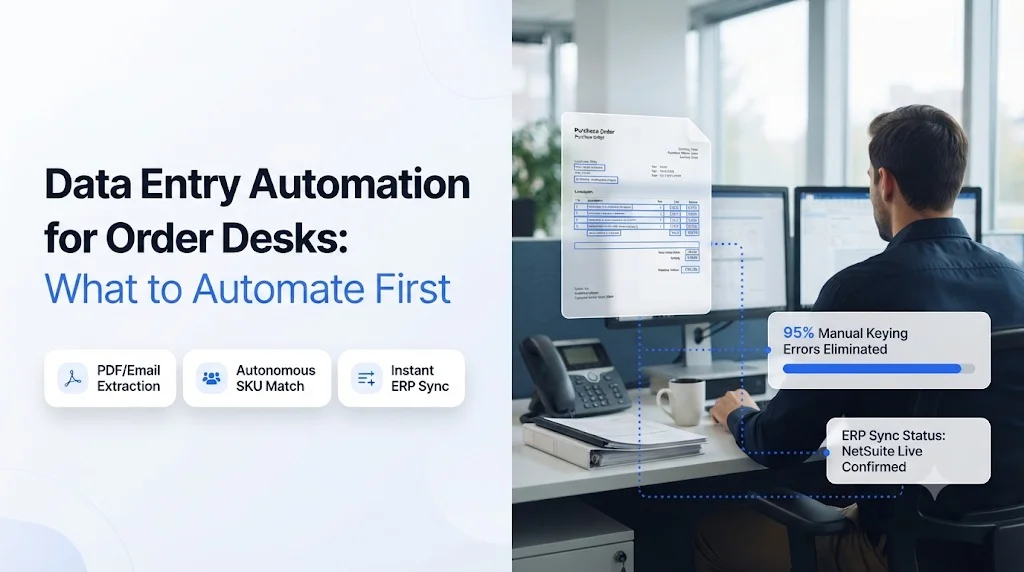
Data entry automation is the fastest way for a wholesale order desk to handle more orders without hiring more reps, but only if you start in the right place. Most distributors either try to automate every channel at once or pick the easiest task first, and the project stalls after the pilot.
In plain terms, data entry automation on an order desk means software reads each incoming buyer order (a PDF purchase order, an email, a fax, a text or a phone call), matches every line to your catalog, and writes a clean sales order into your ERP without a rep retyping it.
This guide ranks order desk tasks by volume, error cost and effort. You will see what to automate first, what to leave for later, which mistakes slow teams down, and how to prove the results in your first 30 days.
Key Takeaways
- Start with the channel that carries the most line items. For most distributors that is PDF and email orders.
- Automate SKU matching and validation in the same phase as capture. Captured data that is never validated only moves errors into the ERP faster.
- Exception handling (stockouts, substitutions, price mismatches) is where reps lose the most time after keying.
- Phone orders, chat orders and reorder prediction come after the core intake flow is stable.
- Track orders per rep, entry error rate and receipt-to-ERP time from day one, or you cannot prove ROI.
What would your order desk look like if nobody retyped another PDF?
Ordana’s target benchmark is 4x more orders per rep and a 95% drop in entry errors, with no new portal for your buyers.
Test Ordana’s AI order desk on your messiest sample order in a 15-minute live session.
Manual Data Entry on the Order Desk: How Orders Get Keyed Today
In short: Orders arrive in every format, and a rep turns each one into ERP lines by hand.
- Five or more intake channels, each with its own format
- Reps translate buyer item names into internal SKUs from memory
- Every mismatch triggers a call or email back to the buyer
A typical wholesale order desk receives purchase orders as PDF attachments, plain email text, faxes, voicemails and texts. For each order, a rep opens the message, finds the customer account, reads the buyer’s item descriptions, maps them to internal SKUs, checks stock, keys each line into the ERP, and then chases the buyer if anything does not match.
Ordana’s research with operations leaders at mid-market distributors found that order desk reps spend around 70% of their day keying line items. Morning order spikes create backlogs, and a single stockout can hold an order until someone calls the buyer back.
Every hour a rep spends retyping a PDF is an hour not spent on the customers who need a conversation.
The Forced Tradeoff Distributors Face
Without automation, operations leaders usually pick one of three options, and each one costs something:
- Hire more reps. Capacity grows, but labor cost grows at the same rate as order volume.
- Push buyers onto a B2B portal. Clean data in theory, but buyers who have emailed or phoned in orders for years rarely switch, and portal or EDI onboarding typically takes 3 to 6 months.
- Add OCR templates. Text extraction improves, but someone still has to fix every exception by hand.
What Manual Keying Costs You
Ordana’s analysis puts the manual keying error rate at 2% to 5% of orders, and estimates that order entry errors cost distributors 2% to 4% of margin through return shipping, restocking fees and discounted replacement goods. Add rep turnover, missed peak-hour calls and delayed shipments, and the cost of doing nothing keeps rising with every new customer. For a closer look at where those mistakes start, read our guide on how to reduce manual order entry errors in wholesale.
Automated Data Entry Options: Portals vs OCR vs AI Agents
In short: Only one approach removes keying without asking buyers to change how they order.
- Portals move the work to the buyer
- OCR and IDP tools read documents but leave exceptions to your team
- AI agents read, validate, resolve and write the order
Before you rank tasks, be clear about which tool type you are ranking them for. The three options behave very differently once an order does not fit the template.
| Factor | B2B Portal | Legacy OCR / IDP | AI Order Agents |
|---|---|---|---|
| Buyer change required | High: buyers must learn a new portal | None: back-office tool | None: buyers keep email, PDF, fax, text and phone |
| Exception handling | Manual, by buyer or rep | Manual: errors flagged for a person | Automatic: agent contacts the buyer to confirm |
| Setup time | 3 to 6 months | Template setup per customer format | Under 24 hours with pre-built connectors (Ordana benchmark) |
| Order value growth | Passive: depends on buyer browsing | None | Active: suggested reorders and add-ons |
If your team is weighing document tools, our breakdown of AI order processing vs OCR covers the accuracy and exception gaps in detail,.
Data Entry Automation Scoring: How to Rank Order Desk Tasks
In short: Score each task on four factors and automate the highest totals first.
- Volume, error cost and rep time push a task up the list
- Effort to automate pulls it down
- Use your own order counts, not industry averages
Pull one week of orders and score each task from 1 (low) to 5 (high) on four factors:
- Volume: share of total line items that pass through this task
- Error cost: how much a mistake here costs in returns, credits or lost customers
- Rep time: hours per week your team spends on it
- Effort: how hard it is to automate with your current systems
Priority score = Volume + Error cost + Rep time minus Effort
Here is an example scoring for a mid-market food and beverage distributor. Replace the scores with your own counts.
| Order Desk Task | Volume | Error Cost | Rep Time | Effort | Priority Score |
|---|---|---|---|---|---|
| PDF and email order capture | 5 | 4 | 5 | 2 | 12 |
| SKU matching and validation | 5 | 5 | 4 | 2 | 12 |
| Exception handling | 3 | 5 | 4 | 3 | 9 |
| Phone order intake | 3 | 3 | 4 | 3 | 7 |
| Text and chat orders | 2 | 2 | 2 | 2 | 4 |
| Reorder prediction | 2 | 1 | 2 | 3 | 2 |
The pattern holds for most distributors: capture and validation score highest because every order passes through them, and the cost of an error there compounds downstream.
Order Entry Automation Sequence: What to Automate First
In short: Follow the order of the scores, starting with high-volume capture and ending with prediction.
- Phase 1: capture and validation
- Phase 2: exceptions and phone orders
- Phase 3: chat orders and reorder prediction
1. Automate PDF and Email Order Capture
PDF attachments and email bodies carry the largest share of line items on most order desks, so this is where data entry automation pays back fastest. An AI agent reads the document, finds the customer, extracts every line with quantities and units, and prepares the order for your ERP. See how automated PDF order capture into your ERP works step by step.
2. Automate SKU Matching and Order Validation
Buyers write “5 cs blue gatorade”, not your item code. Matching buyer descriptions to internal SKUs, then checking price tiers, units of measure and stock, is where most keying errors start. Put automated order validation for wholesale in the same phase as capture so that only clean lines reach the ERP.
3. Automate Exception Handling
Stockouts, substitutions and price mismatches are what keep orders sitting in a rep’s inbox. Once capture and validation are stable, let the agent contact the buyer by email or SMS to confirm a substitute or a price, then update the order without a rep in the loop.
4. Automate Phone Order Intake
Ordana’s research found that order desks lose 10% to 15% of peak-hour calls. An AI voice agent for phone orders trained on your catalog and pricing tiers can answer every call, take the order and place outbound calls when a stockout needs a decision.
5. Automate Text and Chat Orders
Smaller accounts often text orders to a rep’s personal phone. SMS and web chat ordering turns those messages into quotes or orders and keeps them out of personal inboxes.
6. Add Reorder Prediction Last
Prediction works best on clean order history, which you only have after the earlier phases. Predictive cart building studies each buyer’s ordering pattern, pre-builds the cart before they call and suggests add-ons to lift average order value.
Data Entry Automation Mistakes: What Not to Automate First
In short: Most stalled projects started in the wrong place or skipped validation.
- Starting with a portal or the smallest channel
- Automating capture without validation
- Replacing the ERP instead of working on top of it
These five mistakes come up most often:
- Starting with a buyer portal. It asks your customers to change first, and adoption drives the result.
- Starting with the smallest channel because it looks easy. A quick win on 5% of volume will not change rep capacity.
- Automating capture without validation. Fast extraction of a wrong SKU is still a wrong order.
- Replacing systems that already work. An AI layer should sit on top of your ERP or order management system, not replace it.
- Choosing on OCR accuracy alone. When you compare tools, ask what happens to the 10% of orders that do not match a template, not just how well the other 90% are read.
Order Entry Automation Rollout: Your First 30 Days
In short: Setup can be fast; the first month is for proving results.
- Week 1: baseline and sample orders
- Weeks 2 and 3: parallel run, then validation and exceptions
- Week 4: review and extend
- Week 1: Set the baseline. Record orders per rep per day, entry error rate and average time from receipt to ERP. Collect 50 of your messiest sample orders across every channel.
- Week 2: Connect and run in parallel. Connect the agent to your ERP and run PDF and email orders alongside your reps. Our guide to AI agent order desk integration covers the connection steps.
- Week 3: Turn on validation and exceptions. Let the agent resolve stockout and pricing questions directly with buyers.
- Week 4: Review and extend. Compare results against your baseline, then add phone orders.
How Ordana Handles Data Entry Automation for Order Desks
In short: Ordana runs four AI agents on top of your ERP, and your buyers keep ordering the way they do today.
- One agent per intake job: documents, voice, chat and prediction
- Built on a zero buyer behavior change approach
- Data isolated per distributor and never used to train models for others
Ordana is a vertical AI platform built for the wholesale order desk. Instead of pushing buyers onto a portal, it accepts orders through the channels they already use and writes structured, validated lines into your ERP. It maps to the automation sequence above, one agent per phase.
Ordana Desk: PDF, Email and Fax Orders
Ordana Desk parses PDFs, emails and faxes, checks stock in your ERP, resolves missing SKUs or pricing by emailing or texting the buyer, and syncs the clean order. It covers phases 1 to 3 of the sequence.
Ordana Voice: 24/7 Phone Orders
Ordana Voice is trained on your catalog and pricing tiers. It takes inbound phone orders at any hour and calls buyers back when Ordana Desk flags a stockout.
Ordana Chat: SMS and Web Orders
Ordana Chat reads unstructured messages like “send 5 cases gatorade blue” and turns them into an instant quote or order.
Ordana Predict: Pre-Built Carts
Ordana Predict analyzes how often each buyer orders, pre-builds their cart before they contact the desk and suggests relevant add-ons.
Security and Data Isolation
Order history and pricing matrices are isolated per distributor account and are never used to train models for other distributors. Data is encrypted in transit (TLS 1.3) and at rest (AES-256), every automated transaction has an audit trail, and all data is deleted if you leave.
How many more orders could each rep handle next quarter?
Distributors on Ordana target 4x orders per rep and go live in under 24 hours with pre-built ERP connectors.
See Ordana Desk process your own purchase orders in a live demo.
Data Entry Automation Metrics That Prove ROI
In short: Measure the same four numbers before and after go-live.
- Capacity: orders per rep
- Accuracy: entry error rate
- Coverage: answered calls and time to go live
| Metric | Typical Manual Baseline | Ordana Target Benchmark |
|---|---|---|
| Orders processed per rep | Grows only with headcount | 4x increase |
| Order entry error rate | 2% to 5% of orders | 95% reduction |
| Unanswered peak-hour calls | 10% to 15% | Zero |
| Time to go live | 3 to 6 months for EDI or portal | Under 24 hours |
Report these monthly to your CFO. Error rate and orders per rep translate directly into margin protection and labor cost.
Frequently Asked Questions (FAQ’s)
What is data entry automation for order desks?
It is software that reads incoming buyer orders in any format, matches each line to your catalog, validates price and stock, and writes the finished order into your ERP without manual retyping.
What should a distributor automate first?
Start with the highest-volume intake channel, usually PDF and email orders, and automate SKU matching and validation in the same phase. Exception handling comes next.
Is data entry automation the same as OCR?
No. OCR extracts text from a document. Full order automation also matches SKUs, checks stock and pricing, contacts the buyer about exceptions and writes the order into the ERP.
Do buyers need to change how they place orders?
Not with an AI agent approach. Buyers keep sending PDFs, emails, faxes, texts and calls. A portal is the approach that requires buyers to change.
Which ERPs does Ordana work with?
Ordana is built for legacy and cloud ERPs used in distribution, including NetSuite, SAP, Microsoft Dynamics 365, Epicor, QuickBooks Enterprise, Produce Pro and Encompass.
How long does it take to see results?
Ordana’s deployment benchmark is live in under 24 hours. Plan on about 30 days of measured results before you extend automation to further channels.
Start Data Entry Automation Where Your Volume Is
Pick the task that touches the most line items, automate validation alongside it, and measure from the first day. That sequence gives your reps hours back in the first month and builds the clean data that phone, chat and prediction need later.
Ready to see which of your orders an AI agent can handle today?
Ordana targets a 95% drop in entry errors without changing how your buyers order.
Book a 15-minute live test with Ordana using one of your real purchase orders.
← Back to all blogs