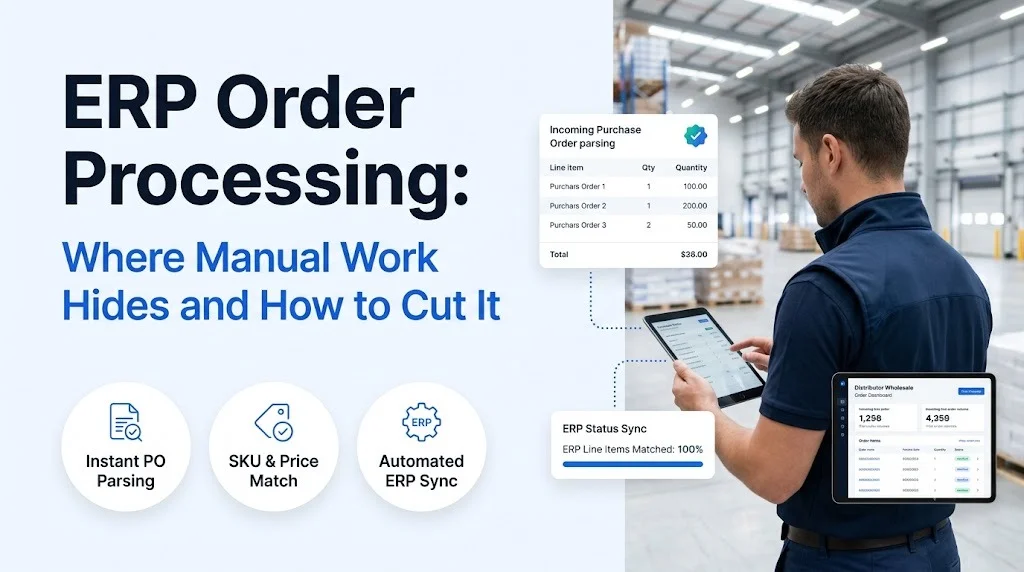
ERP order processing is supposed to be the automated part of running a wholesale business, yet most order desks still spend their mornings copying line items from emails, PDFs, and faxes into the system by hand. The ERP records the order perfectly. Getting the order into the ERP is where the hours go.
This guide maps the six places manual work hides between “order received” and “order confirmed,” shows what that work costs, and lays out a practical plan to remove it without asking your buyers to change how they order.
Key Takeaways
- Most manual effort sits before the ERP, not inside it: reading, validating, and chasing exceptions on orders that arrive by email, PDF, fax, text, and phone.
- Exceptions such as stockouts, price mismatches, and unclear items cause longer delays than keying, because orders stall while reps wait for buyer replies.
- B2B portals and OCR tools remove some steps but leave exception handling with your team.
- AI agents can read any order format, validate it against live ERP data, resolve exceptions with the buyer, and write the clean order into the ERP.
- Start by measuring touches per order and your exception rate, then pilot automation on your messiest channel.
What Is ERP Order Processing?
ERP order processing is the set of steps that turns a customer’s purchase request into a confirmed sales order inside your enterprise resource planning system, ready for picking, shipping, and invoicing. In plain terms: an order comes in, someone checks it, and it becomes a record your warehouse and finance teams can act on.
- The ERP handles the order well once it exists as clean data
- The manual work sits in the steps that create that clean data
A typical flow in wholesale distribution looks like this:
- Intake: the order arrives by email, PDF attachment, fax, SMS, phone, EDI, or web portal.
- Interpretation: a rep reads the order and works out which items, quantities, and ship-to details the buyer means.
- Validation: each line is checked against the catalog, customer pricing, and available stock.
- Exception handling: problems are resolved with the buyer, such as substitutions, back orders, or price questions.
- Entry: the clean order is keyed into the ERP as a sales order.
- Confirmation: the buyer receives an order acknowledgment.
Your ERP handles step five onward well. Steps one to four are where the manual work lives. If you are weighing where an order management system fits alongside your ERP, the same split applies: most systems only start working once someone has created a clean order.
ERP Order Entry Bottlenecks: Six Places Manual Work Hides
Manual work rarely shows up as one big task. It hides in small steps that repeat hundreds of times a day.
- Channel juggling and re-keying take time on every single order
- Validation gaps and exceptions cause the longest delays
- Phone orders and missed confirmations create gaps after hours
1. Order Intake Spread Across Channels
Buyers at c-stores, grocery chains, and supply houses order the way that suits them. One sends a PDF purchase order, another types a list into an email body, a third calls at 7 a.m. Each channel lands in a different inbox or phone line, and someone has to watch all of them. Nothing enters ERP order processing until a person notices the order exists.
2. Reading and Re-Keying Unstructured Orders
Once found, the order has to be read and typed in line by line. Customer item codes don’t match your SKUs, units are written as “cs,” “ea,” or not at all, and handwritten fax notes change quantities. Ordana’s research with operations leaders at mid-market distributors found that order desk reps spend up to 70% of their day keying line items into the ERP. For PDF-heavy desks, automated PDF order capture into the ERP removes the retyping step entirely.
3. Validating SKUs, Pricing, and Stock
A keyed order is not the same as a correct order. Reps cross-check customer-specific price tiers, confirm items are active, and look up available stock, often across separate ERP screens. When this step is rushed, errors flow straight into picking and invoicing. Automated order validation for wholesale runs these checks on every line before anything is written to the system.
4. Exception Handling and the Back-and-Forth
This is the largest hidden cost. When an item is out of stock or a price doesn’t match, the order stops. The rep emails or calls the buyer, waits, follows up, and then edits the order. One exception can hold an order open for hours or into the next day, and each rep carries dozens of these open loops at once.
5. Phone Orders and After-Hours Gaps
Phone orders need a person on the line, and morning peaks mean some calls go to voicemail. Ordana estimates that manual order desks lose 10 to 15% of calls during peak hours. Orders placed in the evening or at the weekend wait until the desk reopens, which pushes delivery dates back.
6. Confirmations and Follow-Up
Order acknowledgments get batched or skipped when the desk is busy. Buyers then call to ask whether the order went through, which adds another interruption for the same overloaded team.
ERP Order Processing Costs: What Manual Work Adds Up To
The cost of manual work shows up in five places: labor, errors, lost orders, cash flow, and staff turnover.
- Labor that scales with volume: every new account adds keying hours, so the order desk adds headcount in step with revenue.
- Error costs: Ordana puts typical manual keying error rates at 2 to 5%, with order entry mistakes costing distributors 2 to 4% of margin through return shipping, restock fees, and discounted replacements. Here is how to reduce manual order entry errors in wholesale.
- Lost revenue: missed calls and slow quotes send buyers to the competitor who answered first.
- Slower order-to-cash: every hour an order sits in an exception queue delays shipment and invoicing.
- Turnover risk: order desk roles see high turnover, and each departure takes product and customer knowledge with it.
Your ERP is not the bottleneck. The work of getting clean orders into it is.
ERP Order Processing Automation Options Compared
Distributors usually try one of four approaches. They differ most on the two things that create hidden work: unstructured orders and exceptions.
- Portals push the work onto buyers, and many buyers refuse
- OCR tools read documents but hand exceptions back to your team
- AI agents handle reading, validation, and exceptions end to end
| Approach | Buyer change needed | Unstructured orders | Exception handling | Typical setup |
|---|---|---|---|---|
| Manual order desk | None | Handled by hand | Rep chases the buyer | None, but cost grows with headcount |
| B2B e-commerce portal | High: buyers must log in and learn it | Not handled, portal orders only | Manual | 3 to 6 months of implementation |
| OCR or IDP tools | None | Partly, with template setup per layout | Flags errors for a human | Template or model setup per customer |
| AI order agents | None | Any format: email, PDF, fax, SMS, voice | Agent contacts the buyer and resolves | Days, using pre-built ERP connectors |
Portals and OCR each remove one slice of the work, but neither closes the loop with the buyer when something is wrong. That is why many teams compare AI order processing vs OCR before buying, and why others look for an alternative to intelligent document processing for order entry. If you are building a shortlist, our guide to choosing order processing software covers the evaluation criteria.
ERP Order Automation: A Five-Step Plan to Cut Manual Work
You don’t need to replace your ERP to cut manual work. You need to remove the steps that happen before it.
- Measure first so you know where the hours go
- Pilot on the channel with the most manual effort
- Only accept automation that writes directly into the ERP
Step 1: Measure Touches per Order
Pick one week and track orders by channel, minutes per order, exception rate, and errors found after entry. This gives you a baseline to judge any tool against.
Step 2: Map Every Order Channel
List every channel and its share of volume. Include the ones nobody formally owns, such as a sales rep forwarding buyer texts to the desk.
Step 3: Classify Your Exceptions
Group exceptions into stockouts, pricing mismatches, unknown items, and missing details. Note which follow a clear rule, such as approved substitutes or contract pricing, and which need a human decision.
Step 4: Pilot on Your Messiest Channel
Start where manual effort is highest, often PDF, fax, or free-text email. Run automation alongside the existing process for two weeks and compare accuracy and cycle time.
Step 5: Connect Directly to the ERP
Avoid automation that ends in a spreadsheet or CSV import, because that only moves the keying somewhere else. The output should be a validated sales order written straight into the ERP, with an audit trail. Here is how an AI agent integrates with your order desk and ERP.
ERP Order Processing With Ordana: AI Agents That Close the Loop
Ordana runs the wholesale order desk with four AI agents that sit on top of your existing ERP. Buyers keep ordering the way they always have.
- Reads orders from every channel, in any format
- Resolves exceptions with the buyer, without a rep
- Writes clean, validated orders straight into the ERP
Here is how each agent covers the hidden work described above:
- Intake, reading, validation, and exceptions: the Ordana Desk agent picks up orders from email, PDF, fax, SMS, EDI, and web portals, validates every line against live catalog, pricing, and inventory, and contacts the buyer through their preferred channel to approve substitutions or pricing. Once confirmed, it writes the order to the ERP and sends the acknowledgment.
- Phone orders and after-hours gaps: the Ordana Voice agent answers inbound order calls around the clock using your catalog and pricing, and makes outbound calls when Desk needs a quick answer from a buyer.
- Text and chat orders: the Ordana Chat agent turns messages like “send 5 cases of the blue sports drink” into a quote or order over SMS or on your web portal.
- Reorders and order value: the Ordana Predict agent pre-builds each buyer’s cart from their ordering history and suggests relevant add-ons, which speeds up reorders and lifts average order value.
In one example on Ordana’s site, a six-line PDF purchase order arrived with one out-of-stock item. The Desk agent offered a comparable substitute by email, the buyer approved it, and the complete order was written to NetSuite nine minutes after it arrived, with no rep involved.
Ordana provides pre-built connectors for ERPs including NetSuite, SAP, Microsoft Dynamics, JD Edwards, and Sage, so your catalog syncs in and confirmed orders write out without middleware. Each distributor’s order data, pricing, and customer lists stay isolated and are never used to train models for other distributors. Ordana reports 4x more orders per agent, a 95% reduction in order entry errors, and a first automated order typically within 24 hours of go-live.
See it on your own orders.
Book a 30-minute demo and Ordana will run one of your messiest real orders through the full ERP order processing flow, from intake to confirmed sales order.
Frequently Asked Questions (FAQ’s)
What is ERP order processing?
It is the sequence of steps that turns a customer order into a confirmed sales order in your ERP: intake, interpretation, validation, exception handling, entry, and confirmation.
Why is order entry into the ERP still so manual?
ERPs expect structured data, but wholesale buyers send unstructured orders by email, PDF, fax, text, and phone. A person has to translate each one, check it, and fix problems before it can be entered.
Can I automate order processing without a B2B portal?
Yes. AI agents read orders from the channels buyers already use, so there is no portal to adopt and no change to buyer habits.
What is the difference between OCR and AI agents for order entry?
OCR extracts text from documents and passes errors to a human. AI agents also validate each line against live ERP data and resolve exceptions directly with the buyer.
Will automation replace my order desk team?
It shifts their work. Routine reading, keying, and follow-up move to the agents, while your team focuses on exceptions that need judgment and on customer relationships.
Which ERPs does Ordana integrate with?
Ordana has pre-built connectors for NetSuite, SAP, Microsoft Dynamics, JD Edwards, Sage, and other distribution ERPs.
← Back to all blogs