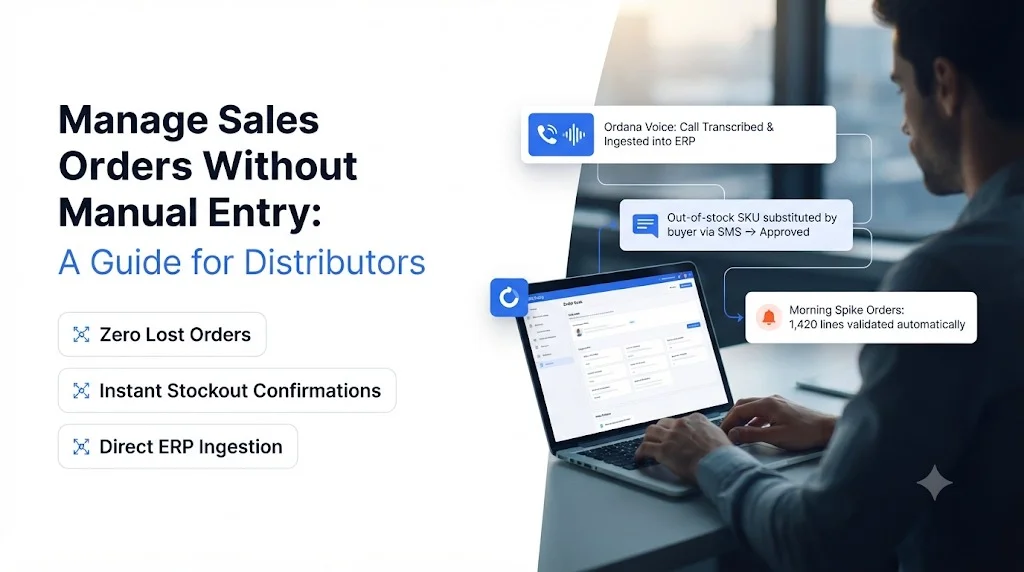
Manage sales orders without manual entry by placing an AI agent layer between the channels your buyers already use (PDF attachments, emails, faxes, texts and phone calls) and your ERP. The agent reads each order, matches every line to your catalog, checks stock and pricing, resolves exceptions with the buyer, and writes a clean sales order into the ERP. Your reps review the few orders that need judgment instead of typing every line.
This guide is for VPs and Directors of Operations at wholesale distributors who want to process more orders without adding headcount, and for finance leaders who want to stop losing margin to keying mistakes.
Key takeaways
- Most distributors still manage sales orders by retyping them from PDFs, emails and faxes into the ERP, which ties order volume directly to headcount.
- Buyer portals, OCR templates and extra hires each fix one problem and create another.
- An AI agent workflow captures, validates, resolves and syncs orders so reps only handle true exceptions.
- Track four numbers before and after: orders per rep, entry error rate, order cycle time and missed calls.
- Ordana runs this workflow with four agents (Desk, Voice, Predict and Chat) and requires no change in how your buyers place orders.
Manage Sales Orders Without Manual Entry: What It Means
A no-manual-entry order desk is one where software, not a person, turns an incoming buyer order into a validated ERP sales order.
- Orders keep arriving the way buyers send them today
- Every line is matched to a SKU, unit of measure and price before it reaches the ERP
- Problems are resolved with the buyer automatically, or routed to a rep with context
- Reps approve and handle exceptions instead of typing
The goal is not to remove your order desk team. It is to stop spending their day on copy and paste so they can spend it on customers, exceptions and upsell.
If you are still mapping out your wider order process, our guide to choosing an order management system for wholesale distribution covers where order entry sits alongside inventory, fulfillment and invoicing.
Managing Sales Orders by Hand: The Current Way Distributors Work
Manual order entry means every incoming order is read, interpreted and retyped by a rep, one line at a time.
- Orders arrive in five or more formats with no shared structure
- Reps translate buyer shorthand into your SKUs and units
- Exceptions trigger calls and emails that stall the order
- Morning spikes and phone peaks create backlogs and missed revenue
Sales Order Entry From PDFs, Emails and Faxes
A c-store chain sends a PDF purchase order. An auto shop emails a list of part numbers. A pharmacy faxes a handwritten sheet. A restaurant texts “5 cs gatorade blue, 2 cs water.” Each format needs a rep to read it, find the matching SKU in the ERP, convert units and type the line.
Ordana’s research with operations leaders found that order desk reps can spend around 70% of their day keying line items into the ERP. That time scales with order volume, so the only way to grow is to hire.
Sales Order Exceptions That Stall the Desk
Keying is only half the work. When a SKU is out of stock, a price does not match the buyer’s contract tier, or a customer part number has no match, the order stops. The rep has to call or email the buyer, wait for an answer and then finish the entry. Orders pile up behind each exception.
Sales Order Errors That Cost Margin
When a person retypes hundreds of lines a day, mistakes follow: a wrong pack size, a transposed quantity, a missed line. The industry baseline cited in Ordana’s research is a 2% to 5% manual keying error rate. For finance teams, each error shows up as return shipping, restocking fees, discounted replacement goods and, over time, buyers who move to a competitor. We cover the error side in detail in our guide on how to reduce manual order entry errors in wholesale.
Sales Order Spikes and Missed Calls
Most distributors see a morning rush. Phone orders peak at the same time the email inbox is fullest. Ordana’s research puts lost calls during these peaks at 10% to 15%. Every unanswered call is an order that went somewhere else or arrived late.
If order volume can only grow when headcount grows, your order desk is a ceiling on revenue, not a support function.
Sales Order Management Options: Portals, OCR, or More Headcount
Distributors trying to fix order entry usually pick from three options, and each one forces a tradeoff.
- Buyer portals move the typing to the buyer, who often refuses
- OCR and IDP tools read documents but leave exceptions to your team
- More reps add capacity but also cost and turnover
- AI agents handle capture, validation and exceptions without changing buyer habits
Sales Order Portals and the Adoption Problem
A B2B ordering portal promises clean, structured orders. The catch is adoption. A buyer who has emailed the same PDF for ten years will not log into a new website to place the order line by line. Portals also take months to set up and still leave you keying every order that comes in outside the portal.
Sales Order OCR and the Exception Problem
OCR and template-based document tools pull text off a page, but they need a template per buyer format and they flag problems for a person to fix. They solve reading. They do not solve matching buyer shorthand to your SKUs, checking stock or talking to the buyer. Our breakdown of AI order processing vs OCR walks through that gap, and our look at an intelligent document processing alternative for order entry explains why template tools struggle with the long tail of buyer formats.
Sales Order Management Approaches Compared
| Approach | Buyer change needed | Handles exceptions | Setup time | Scales without headcount |
|---|---|---|---|---|
| Manual keying | None | Rep calls or emails buyer | None | No |
| B2B ordering portal | High (buyer must learn a new site) | Buyer or rep fixes errors | 3 to 6 months | Only for orders placed in the portal |
| OCR / IDP tools | None | Flags errors for a person | Template setup per buyer format | Partly (reading only) |
| AI agent order desk | None (email, PDF, fax, text, phone) | Agent contacts buyer to confirm | Ordana reports under 24 hours | Yes |
Setup times and the AI agent column reflect Ordana’s published positioning; confirm them against your own ERP and order mix during a trial.
Manage Sales Orders With AI Agents: The 4-Step Workflow
An AI agent order desk runs the same four steps a good rep does, on every order, in every channel.
- Capture and read the order from any channel
- Validate each line against the ERP
- Resolve exceptions directly with the buyer
- Write the clean order into the ERP for approval or auto-post
Sales Order Capture From Every Channel
The agent monitors the order inbox, fax line, text channel and phone line. It reads PDFs, spreadsheets, email bodies and handwritten scans, then pulls out the buyer, ship-to, requested date and each line item. Unlike a template tool, it interprets messy inputs such as “blue gatorade 5 cs” or a customer’s own part numbers. For the PDF side specifically, see how automated PDF order capture into the ERP removes rekeying from attachments.
Sales Order Validation Against Your ERP
Before anything touches the ERP, each line is checked:
- SKU match: buyer description or part number mapped to your item
- Unit of measure: cases, eaches and pallets converted correctly
- Pricing: price checked against the buyer’s contract tier
- Stock: availability checked in real time
- Account rules: credit holds, minimums and delivery windows applied
Our guide to automated order validation for wholesale goes deeper on the rules distributors typically enforce at this step.
Sales Order Exception Resolution With the Buyer
This is the step OCR tools skip. When an item is out of stock or a price does not match, the agent contacts the buyer by email, text or phone, offers a substitute or confirms the price, and updates the order with the answer. Only true judgment calls go to a rep, with the full context attached.
Sales Order Sync Into the ERP
The finished order is written into the ERP as structured order lines, ready for pick, pack and invoice. Teams usually start with rep approval on every order and move to auto-posting for trusted buyers and clean orders. The setup details are covered in our guide to AI agent order desk integration.
Sales Order Management Metrics to Track Before and After
Measure four numbers for two weeks before you change anything, so you can prove the result afterward.
- Orders or lines processed per rep per day
- Entry error rate (credits, returns and corrections caused by keying)
- Order cycle time from receipt to ERP entry
- Missed or abandoned calls during peak hours
| Metric | How to measure it | Ordana target benchmark |
|---|---|---|
| Orders per rep | Orders entered per rep per day, from ERP user logs | 4x volume per rep |
| Entry error rate | Credit memos and returns coded to entry errors, divided by orders | 95% reduction |
| Order cycle time | Timestamp of email or fax receipt vs ERP order creation | Same-day, not next-day |
| Missed calls | Phone system abandon rate during the morning peak | Zero unanswered calls |
Benchmarks are Ordana’s stated targets. Replace them with results from your own pilot before sharing internally.
The cleanest business case compares the cost of one rep’s keying hours plus the margin lost to errors against the cost of the software.
Manage Sales Orders With Ordana: How the Four Agents Work
Ordana is an AI order desk platform built for wholesale distributors. It sits on top of your existing ERP and lets your buyers keep ordering exactly the way they do today.
- Four specialized agents cover documents, phone, reorders and chat
- Works with ERPs such as NetSuite, SAP, Microsoft Dynamics 365, Epicor, QuickBooks Enterprise, Produce Pro and Encompass
- Pre-built connectors, with Ordana reporting go-live in under 24 hours
- Your data stays isolated and is never used to train models for other distributors
Ordana Desk: Sales Orders From PDF, Email and Fax
Ordana Desk reads incoming PDFs, emails and faxes, checks stock in your ERP, resolves missing SKUs or pricing mismatches by emailing or texting the buyer, and syncs the clean order into the ERP. It covers the capture, validation, resolution and sync steps above in one agent.
Ordana Voice: Sales Orders by Phone, Around the Clock
Ordana Voice answers inbound order calls 24/7, trained on your catalog and pricing tiers, so the morning rush no longer means missed calls. When Desk flags a stockout, Voice can place the outbound call to confirm a substitute with the buyer.
Ordana Predict: Sales Orders Built Before the Buyer Calls
Ordana Predict studies each buyer’s ordering frequency and pre-builds their cart before they reach out. It also suggests relevant add-ons, which helps lift average order value instead of waiting for buyers to browse.
Ordana Chat: Sales Orders by Text and Web Chat
Ordana Chat lets buyers order by SMS or web chat in plain language, such as “send 5 cases gatorade blue,” and turns that message into an instant quote or order.
Distributors using Ordana process 4x more orders per rep with a 95% drop in entry errors, according to Ordana’s own benchmarks, without asking a single buyer to adopt a new portal.
Want to see it on your own data? Send us one of your messiest sample orders and watch Ordana turn it into a clean ERP order in a live 15-minute test. Book a live test with Ordana.
Sales Order Automation Checklist: How to Get Started
Use this checklist to move from manual keying to an automated order desk in weeks, not quarters.
- Audit your order channels and volumes
- Baseline the four metrics
- Pilot on your hardest order formats first
- Expand channel by channel
- List every order channel (email inbox, fax, phone, text, portal) and the share of orders each one carries.
- Pull 20 real orders that your reps find slowest to enter, including handwritten faxes and buyer part numbers.
- Baseline your metrics for orders per rep, error rate, cycle time and missed calls.
- Set approval rules: which orders a rep must approve and which can auto-post.
- Run a pilot on one channel and one buyer segment, comparing results against your baseline.
- Expand to phone, text and reorder prediction once document orders are running cleanly.
When you compare vendors, our roundup of order processing software for distributors lists the questions to ask about ERP connectors, exception handling and data isolation.
Frequently Asked Questions (FAQ’s)
How do I manage sales orders without manual entry?
Use an AI agent that reads orders from every channel, matches each line to your catalog, checks stock and pricing in the ERP, resolves exceptions with the buyer and writes the finished order into the ERP. Reps approve orders and handle exceptions instead of typing.
Do my buyers need to change how they place orders?
No. The approach works with the channels buyers already use: PDF attachments, emails, faxes, texts and phone calls. That is the main difference from a B2B ordering portal.
Which ERPs does this work with?
Ordana connects to legacy and cloud ERPs including NetSuite, SAP, Microsoft Dynamics 365, Epicor, QuickBooks Enterprise, Produce Pro and Encompass.
How is this different from OCR?
OCR reads text from a document. An AI agent also interprets buyer shorthand, validates each line against your ERP and contacts the buyer to fix problems, so exceptions do not land back on your team.
Is our customer and pricing data safe?
Ordana isolates each distributor’s data, never uses your catalog or pricing to train models for other customers, encrypts data in transit and at rest, and deletes your data if you leave.
How long does it take to go live?
Ordana reports go-live in under 24 hours using pre-built ERP connectors. Most teams start with a pilot on one channel before expanding.
← Back to all blogs