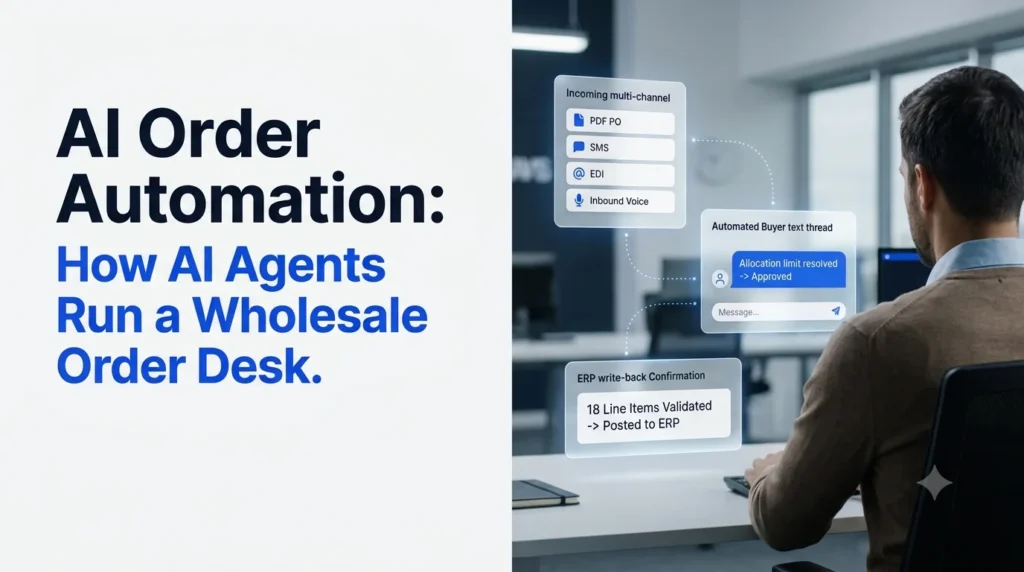
AI order automation lets a wholesale distributor move every incoming order from the inbox to the ERP without a rep keying a single line. If you run operations at a mid-market distributor, you know how the morning starts: PDFs, emails, faxes, texts and voicemails stacked up before 8 a.m., reps typing line items into the ERP, and every out-of-stock item turning into a phone call while the order waits.
This guide is for VPs and directors of operations who need the desk to handle more orders without adding headcount. It covers what AI agents do on the order desk step by step, what your team still owns, how agents compare with OCR, portals and EDI, how to spot a real agent, and how Ordana runs the desk with four of them.
AI order automation dashboard showing AI agents moving wholesale orders from email, PDF, fax, text and phone into an ERP Agents pick up orders on every channel and post clean, validated lines to the ERP.
Key takeaways
- AI order automation uses AI agents to capture, validate, correct and post wholesale orders from every channel into your ERP.
- The difference from OCR and document processing tools is ownership: agents resolve exceptions with the buyer instead of flagging them for a rep.
- Buyers keep ordering the way they do today, by email, PDF, fax, text or phone.
- Reps move from keying lines to judgment calls, key accounts and growth.
- Gartner expects many vendors calling themselves “agentic” to be rebranded tools, so test every vendor on your messiest real orders.
- Ordana reports 4x more orders per agent and a 95% drop in order entry errors for distributors using its agents.
AI Order Automation, Defined: From Reading Orders to Owning Them
This approach hands the whole order, not just data capture, to software agents that act on it.
- A plain-language definition you can share with your team
- How agent-led automation differs from older tools
- Why the shift to AI agents is happening now
AI order automation is the use of AI agents to receive, read, validate, correct and enter customer orders into an ERP across every channel buyers use, with people stepping in only when an exception needs human judgment.
Older order tools each automated one step. OCR turned a scanned page into text. A B2B portal asked buyers to type their own orders. EDI connected the largest trading partners. Basic automated order entry and sales order automation stop once the data is typed in. Each one left the hardest part with a rep: deciding what to do when the order is wrong.
Agent-Led Order Automation vs. Data Extraction
Data extraction gives you fields. An agent gives you a finished order.
The difference shows up the moment a line fails. Say line 7 of a purchase order lists a discontinued SKU. An extraction tool flags it and waits for a person. An agent checks the catalog, finds the current replacement, asks the buyer to approve the swap and closes the order.
For the full flow from inbox to ERP, see our guide to automated order processing.
AI Agents in Order Automation: Why the Shift Is Happening Now
Agentic AI is moving into business software quickly. In June 2025, Gartner predicted that 33% of enterprise software applications will include agentic AI by 2028, up from less than 1% in 2024. It also expects at least 15% of day-to-day work decisions to be made autonomously through agentic AI by 2028, up from 0% in 2024.
Buyers are spreading across more channels, not fewer. McKinsey’s 2024 B2B Pulse survey of nearly 4,000 B2B decision makers found buyers use about ten channels in a purchase journey, and more than half would likely switch suppliers if the experience across those channels isn’t smooth.
An order desk that depends on people re-keying every channel can’t keep pace with that spread.
Order Desk Automation Starts With the Desk You Run Today
Before you automate, map how your desk handles an order now and where it breaks.
- The current five-step manual process
- Where errors and delays come from
- The tradeoffs distributors are forced into
On most manual desks, an order passes through five steps. A rep opens the email, PDF or fax and reads the buyer’s shorthand. The rep keys each line into the ERP, checks stock and pricing, then calls or emails the buyer about anything that doesn’t fit. Only after all of that does the order get confirmed.
Every step is manual, and every step happens one order at a time.
Order Entry by Hand Turns Reps Into Typists
When reps spend the morning keying lines, capacity grows only as fast as headcount. Errors creep in at the keyboard: a case entered as an each, an old price, the wrong ship-to.
The math adds up fast. As an illustration, a desk that keys 2,000 lines a day with just 1 wrong line in 100 sends 20 bad lines into the ERP every day. Each one can turn into a return, a credit or a second delivery. Our breakdown of how to reduce manual order entry errors in wholesale shows where these mistakes start.
Order Exceptions Stall in the Inbox
The bigger delay is rarely the typing. It’s the exceptions: an item out of stock, a price that doesn’t match the contract, a line that just says “the blue one, same as last week.” The order sits until a rep can reach the buyer, and morning spikes turn a few open questions into a backlog.
Order Desk Tradeoffs That Cost You Either Way
Manual desks force distributors into either/or choices:
- Hire more reps, or accept slower cycle times. Neither protects margin.
- Push buyers to a portal, or keep keying their emails. Buyers who don’t adopt the portal keep emailing, so you end up running both.
- Answer every call at peak, or let some go to voicemail. A buyer who can’t get through may order from a competitor who picks up.
The cost shows up as margin lost to errors and credits, buyers who drift away after repeat mistakes, and reps who burn out on repetitive work.
The order desk problem isn’t reading the order. It’s everything that has to happen after the order turns out to be wrong.
AI Order Automation in Action: How Agents Run the Desk Step by Step
AI agents work an order the way your best rep does, in four steps, on every channel at once.
- Capture orders from any channel and format
- Validate every line before it reaches the ERP
- Resolve exceptions directly with the buyer
- Write clean orders to the ERP and confirm
AI order automation workflow in four steps: capture, validate, resolve exceptions with the buyer and enter into the ERP The four steps an agent runs on every order, from first read to ERP confirmation.
AI Order Capture: Every Channel, Every Format
Agents pick up orders wherever they land: email bodies, PDF purchase orders, faxes, text messages, phone calls, EDI and web portal orders. They read freeform text and shorthand, not just fixed templates, and use each buyer’s order history to match “12 cs red 20oz” to the right SKU and unit of measure. For PDF-heavy desks, see how automated PDF order capture to ERP removes manual keying.
AI Order Validation: Every Line Checked Before the ERP
Before anything reaches the ERP, the agent checks each line against your live catalog, contract pricing and inventory, plus rules such as minimums and allocation limits. Problems get caught at intake, where they are cheapest to fix. Learn more about automated order validation for wholesale.
AI Exception Handling: Agents Fix Problems With the Buyer
This is the step that separates agents from older automation. When a line fails, the agent contacts the buyer on their preferred channel, proposes a fix and waits for approval.
Here is an example. A c-store buyer texts an order at 6:40 a.m. One item is capped at one case per store. The agent replies in the same thread with the cap and offers an alternative pack size. The buyer replies “yes,” and the order moves on. Edge cases that need a person, such as a pricing dispute on a key account, go to a rep with the full history attached.
AI order automation agent offering a buyer an alternative pack size over text when an item hits an allocation limit The agent flags an allocation limit, offers an alternative and closes the order in the same text thread.
AI Order Entry and Confirmation: Clean Orders Into the ERP
Once every line is valid, the agent writes structured order lines into the ERP through a direct connector, sends the buyer a confirmation and logs each action it took. For the technical side, read how AI agents connect to your order desk and ERP.
See these four steps on your own orders. Schedule a 30-minute demo using your actual order channels.
Automated Order Desks and Your Team: What Humans Still Own
Agents take the keying and chasing; your people keep the decisions, relationships and rules.
- Who does what before and after agents arrive
- Where reps add the most value
- How managers stay in control
| Desk task | Manual desk today | With AI agents |
|---|---|---|
| Reading and keying orders | Reps | Agents |
| Checking stock, price and rules | Reps, when time allows | Agents, on every line |
| Routine substitutions and clarifications | Reps, by phone or email | Agents, with buyer approval |
| Order calls at peak and after hours | Reps, when available | Voice agent, around the clock |
| Disputes, credit questions, key account issues | Reps | Reps, with full context from the agent |
| Pricing rules, substitution policy, approval limits | Managers | Managers, and agents follow them |
| Account growth and relationships | Squeezed into spare time | Reps, with hours freed up |
Order Desk Reps Handle Judgment Calls, Not Keystrokes
Reps stop being the bottleneck for routine orders. Their time goes to the calls that need a person: a buyer upset about a short shipment, a new account with special terms, a large order that needs a margin check.
Order Rules Stay With Your Managers
Agents follow the rules you set: which substitutions are allowed, which price changes need approval, which accounts always go to a named rep. Change a rule once and every order follows it.
Order Audit Trail: Every Agent Action Is Logged
Every read, check, message and ERP write is recorded. Managers can see why an order changed and who approved it, which makes the desk easier to audit than one run on inbox flags and sticky notes.
AI Order Automation vs. OCR, IDP, Portals and EDI
Each older approach solves part of the order problem. Here is where each one fits and where it stops.
- Side-by-side comparison of five approaches
- Where OCR and IDP fall short
- When EDI or a portal is still the right call
Comparison chart of AI order automation versus OCR, IDP, B2B portals and EDI for wholesale distributors Where each approach fits, and who resolves the exception when an order line fails.
| Approach | What it does | Buyer change needed | Who resolves exceptions | Best fit |
|---|---|---|---|---|
| Manual order desk | Reps read and key every order | None | Reps, by phone or email | Low volume, few SKUs |
| OCR or IDP | Pulls text and fields from documents | None | A person reviews flagged items | Consistent, template-friendly documents |
| B2B portal | Buyers enter their own orders | High: buyers must log in and learn it | The buyer, or a rep follows up | Buyers who prefer self-service |
| EDI | Exchanges structured orders between systems | Partner setup and mapping | A person handles rejections | Large, high-volume trading partners |
| AI order agents | Read, validate, resolve and enter orders on every channel | None | The agent, with buyer approval; people handle judgment calls | Mixed channels, messy formats, rising volume |
AI Order Processing vs. OCR and IDP
OCR and intelligent document processing (IDP) read documents well when formats stay consistent. They stop at extraction, so a flagged line still lands on a rep’s screen. Our comparison of AI order processing vs. OCR covers accuracy and cost, and this piece explains why IDP falls short at order entry.
Order Portals and EDI: Where They Still Fit
EDI remains a strong fit for large partners who already send clean, structured orders. Portals work for buyers who want to browse and order on their own. Neither covers the buyer who emails a photo of a handwritten list. Agents work alongside both and handle exceptions on EDI and portal orders too, so you don’t have to rip anything out.
AI Order Automation Vendor Checklist: How to Spot a Real Agent
Many tools now call themselves agents, so judge vendors by what their software does when an order goes wrong.
- Why “agent washing” matters for buyers
- Six questions to ask every vendor
- The messy-order test
Gartner warns of “agent washing,” where vendors rebrand AI assistants, robotic process automation (RPA) and chatbots as agentic AI without real agentic capabilities. It estimates only about 130 of the thousands of agentic AI vendors are real, and predicts over 40% of agentic AI projects will be canceled by the end of 2027 because of rising costs, unclear business value or inadequate risk controls.
Order Automation Questions to Ask Every Vendor
- When a line is out of stock, does the system contact the buyer and propose a substitute, or create a task for my rep?
- Which channels work on day one: email body, PDF, fax, text, phone, EDI, portal?
- Does it write orders into my ERP through a native connector, or export a file someone has to import?
- Do my buyers have to change anything about how they order?
- Can I see every action the agent took on every order?
- Is my pricing and customer data isolated from other customers and kept out of shared model training? What happens to it if we leave?
Order Test: Run Your Messiest Real Orders
Skip the scripted demo. Send the vendor your hardest real samples: the faxed handwritten list, the email that says “same as last week plus 2 cases,” the voicemail order. Then measure how many close without a person, how exceptions were handled and whether the ERP output is ready to ship.
If a tool still needs a rep to finish the order, it’s an assistant, not an agent.
AI Order Automation With Ordana: Four Agents, One Order Desk
Ordana runs the full wholesale order desk with four specialized agents that hand work to each other.
- What each agent owns
- Results Ordana reports
- How Ordana protects your data
Ordana is built for wholesale distributors in food and beverage, CPG and c-store, industrial parts, plumbing and electrical supply, commercial pharma and chemical distribution. Its design rule is zero buyer behavior change: your buyers keep ordering by email, PDF, fax, text or phone, and the agents do the rest.
Ordana AI order automation with Desk, Voice, Chat and Predict agents sharing one wholesale order desk Desk, Voice, Chat and Predict agents hand work to each other on one order desk (Ordana-reported results).
AI Order Agents: How Ordana Runs the Desk
Desk Agent: Owns Every Written Order From Inbox to ERP
Desk Agent picks up each order as it arrives by email, PDF, fax, SMS, EDI or web portal. It checks every line against live catalog, pricing and inventory, resolves exceptions with retailer sign-off, writes the finished order to your ERP and sends the confirmation. Pre-built connectors cover NetSuite, JD Edwards, SAP, Sage, Microsoft Dynamics, BigCommerce and Shopify, among others. Edge cases that need a human decision get escalated, and phone-based exceptions go to Voice Agent.
Voice Agent: Answers Every Order Call, Day or Night
Voice Agent answers inbound order calls instantly, 24/7, with no hold queue. It understands shorthand, nicknames and partial product names, offers alternatives when an item hits an allocation limit and pushes the order to your ERP when the call ends. When Desk Agent needs to reach a buyer by phone, Voice Agent makes the outbound call.
Chat Agent: Takes Orders by Text and Chat
Chat Agent lets buyers order in plain language over SMS or through a chat window on your existing portal, added with a single script tag. It pulls up order history for fast reorders, answers status and availability questions and passes confirmed orders into your ERP.
Predict Agent: Builds the Cart Before the Buyer Asks
Predict Agent builds a model for each retailer from its order history, cadence and seasonal patterns. It spots items a buyer usually orders but left off, suggests them mid-order on the buyer’s preferred channel and learns from every decline.
AI Order Desk Results Ordana Reports
Ordana reports these results for distributors using its agents:
- 4x more orders per agent, without adding headcount
- 95% decrease in order entry errors
- Zero unanswered order calls
- Up to 80% reduction in order processing labor
- 22% average order value lift per order with Predict Agent
- First automated order typically within 24 hours of go-live
Results depend on your order mix, channels and catalog.
AI Order Data Security: Isolated by Design
Distributors treat pricing, customer lists and order history as trade secrets. Ordana keeps each distributor’s order data, pricing and relationships isolated, never uses them to improve outcomes for another distributor, operates to GDPR standards wherever you are based and deletes your data when the relationship ends.
See an order close itself, live. Book a 30-minute Ordana demo on your actual order channels.
Order Automation Rollout: A 30-Day Plan for Distributors
Start where most manual work sits, go live in days, then measure what changed.
- Where to start
- What the first 30 days look like
- Which metrics prove ROI
Order Automation Starts at Intake
Most errors and delays begin before the order reaches the ERP, so start with intake. Pick the channel that creates the most manual touches on your desk, such as email or PDF, and add phone and text once it is stable. This guide on where distributors should start with order management automation walks through each stage.
Order Desk Go-Live Timeline
Ordana’s rollout runs on a short clock:
- Day 1: connect the ERP, sync the catalog and train the agents on your products and buyers
- Day 3: agents live across your order channels
- Day 30: measurable ROI against your baseline
Order Desk Metrics to Track
Capture a baseline before go-live, then compare at day 30:
- Orders processed per rep per day
- Share of orders closed with no human touch
- Time from order received to order confirmed
- Time to resolve an exception
- Order entry error rate, measured through credits and returns
- Missed or abandoned order calls
- Average order value
Automating the Order Desk With AI: The Bottom Line
The short version for your next operations meeting.
- What changes on the desk
- What your team keeps
- Where to start
AI order automation changes who does the work on your order desk. Agents read every channel, check every line, settle routine exceptions with buyers and post clean orders to the ERP. Your reps keep the judgment calls and the relationships, and your managers keep the rules. Start with one channel, measure for 30 days and expand from there.
Ready to see it on your orders?
Schedule a demo with Ordana and bring your messiest sample order.
AI Order Automation FAQs
Short answers to the questions operations leaders ask most.
- Definition and how it compares with OCR
- Impact on your reps and your buyers
- ERP fit and time to go live
What is AI order automation?
AI order automation uses AI agents to receive, read, validate, correct and enter customer orders into an ERP across email, PDF, fax, text, phone, EDI and portals. People step in only for exceptions that need judgment.
How is AI order automation different from OCR?
OCR extracts text from documents and stops there. AI agents also check each line against your catalog, pricing and inventory, contact the buyer to fix problems and write the finished order to the ERP.
Will AI agents replace my order desk reps?
Agents take over keying and routine follow-ups. Reps keep disputes, key accounts and judgment calls, so the same team can handle more orders.
Do my customers need to change how they order?
No. Buyers keep using email, PDF, fax, text or phone. The agents work behind those channels.
Which ERPs work with AI order agents?
It depends on each vendor’s connectors. Ordana’s Desk Agent lists pre-built connectors for NetSuite, JD Edwards, SAP, Sage, Microsoft Dynamics, BigCommerce and Shopify, among others.
How long does it take to go live?
With Ordana, agents are typically live across your order channels by day 3, and the first automated order usually arrives within 24 hours of go-live.
← Back to all blogs