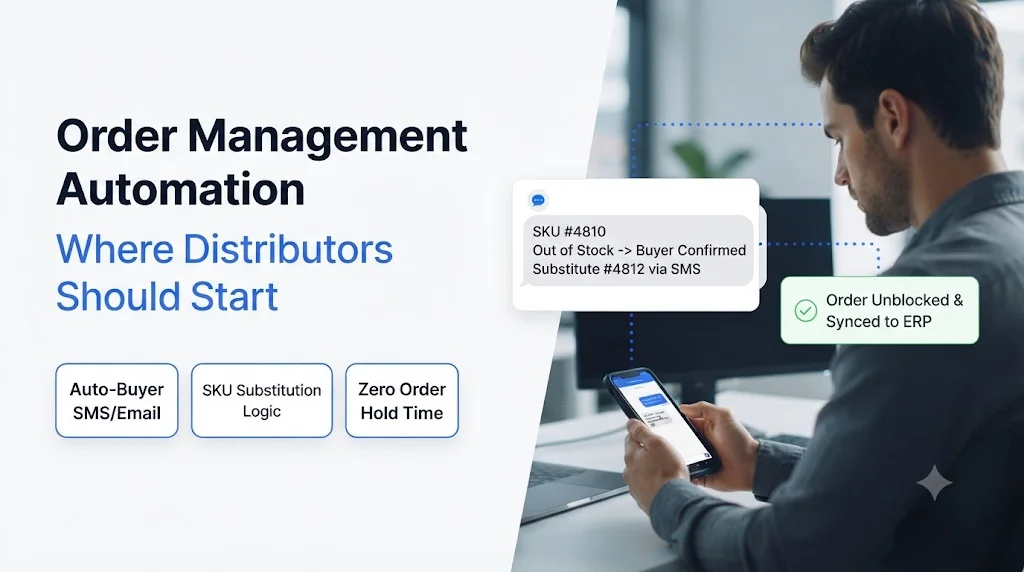
Key takeaways
- Order management automation works best when you start at order intake, not at the ERP.
- Fix capture and validation first, because every downstream error begins there.
- Roll out in five steps: capture, validate, enter, confirm, predict.
- Measure touch time per order, error rate and order-to-confirmation time from day one.
- Ordana covers each step with dedicated AI agents that connect to your existing ERP.
Order management automation is the use of software and AI agents to capture, check, enter and confirm customer orders without manual keying. For wholesale distributors, the best starting point is order intake, because that is where most errors, delays and rework begin.
Most distributors know they need automation. The harder question is sequence. Orders arrive as PDFs, emails, spreadsheets, phone calls and portal messages, and your team retypes them into the ERP one line at a time. Automating the wrong step first means you pay for software and still keep the manual work.
This guide shows where to start, what to automate next, and how to measure results.
Order Management Automation: What It Means for Distributors
In short: Order management automation removes manual handling from the path between a customer’s request and a confirmed order in your system.
- It covers capture, validation, ERP entry, confirmation and follow-up.
- It is different from an order management system, which stores and routes orders. See our guide to the order management system for that distinction.
- It targets the repetitive work, so your team can focus on exceptions and customer relationships.
A distributor with a few hundred orders a day does not lack effort. The team lacks hours. Automation returns those hours by handling the routine order and flagging only the odd one.
Order Management Automation vs. Order Processing Software
Order processing software handles the steps after an order is in a clean format. Order management automation starts earlier, with the messy inputs. If you want to see how the processing layer works, read our overview of order processing software.
Why Order Management Automation Should Start at Order Intake
In short: Intake is where unstructured data enters your business, so it is where automation pays back first.
- Customers send orders in formats you do not control.
- Every manual retype adds a chance for a wrong SKU, quantity or ship-to address.
- Errors found late cost more to fix than errors caught at capture.
Many teams begin by upgrading the ERP or adding workflow rules. That helps, but it leaves the retyping in place. Automation delivers more when it removes the retyping itself.
The Cost of Manual Order Entry
Manual entry is slow, and it is also fragile. A transposed digit becomes a wrong shipment, a credit memo and an unhappy buyer. Our post on how to reduce manual order entry errors in wholesale walks through where those mistakes come from and how automation closes them.
Why Rules and Templates Fall Short
Older tools rely on fixed templates. They break when a customer changes a layout. If you have tried basic OCR before, see how AI order processing compares with OCR and why template-free reading matters. Teams weighing broader platforms can also review this intelligent document processing alternative for order entry.
Order Management Automation in Five Steps: A Practical Starting Plan
In short: Build in the order the data flows. Each step makes the next one easier.
- Step 1: Capture orders from every channel.
- Step 2: Validate against your master data.
- Step 3: Enter clean orders into the ERP.
- Step 4: Confirm and follow up automatically.
- Step 5: Predict demand and reorders.
Step 1: Capture Orders From Every Channel
Start by pulling orders out of email, PDFs and attachments into a structured format. PDF orders are usually the largest and most painful source. Our guide to automated PDF order capture into your ERP explains how this works without templates.
What to Look For in a Capture Tool
- Reads any layout without per-customer setup
- Handles email bodies, PDFs, spreadsheets and images
- Shows a confidence level for each field
Step 2: Validate Orders Before They Reach the ERP
Validation checks each order against item masters, customer pricing, units of measure and ship-to data. This is the stage where automation prevents errors instead of reporting them later. Read more on automated order validation for wholesale.
Step 3: Automate ERP Order Entry
Once an order is clean, it can post straight to your ERP. This removes the retyping that slows your desk. The process is covered in detail in our post on ERP order processing and in our explainer on data entry automation.
Step 4: Confirm Orders and Handle Follow-Ups
Customers expect a quick confirmation. Automated acknowledgements, stock checks and status replies cut the back and forth. Teams that want a single view of every order can also learn how to manage sales orders across channels.
Step 5: Predict Reorders and Demand
After the basics run smoothly, use order history to forecast what customers will need next. This moves your team from reacting to orders to preparing for them.
Order Management Automation Comparison: Manual, Rule-Based and AI Agent
In short: AI agents handle variation that rule-based tools cannot, with less setup than manual teams need.
| Factor | Manual entry | Rule-based or template tools | AI agent approach |
|---|---|---|---|
| Handles new order formats | Yes, slowly | No, needs new template | Yes, without setup |
| Error rate | Rises with volume | Moderate | Lower, with validation |
| Setup effort | None | High per customer | Low |
| Scales with order volume | Needs more staff | Limited | Yes |
| Staff time per order | High | Medium | Low, exceptions only |
| Best fit | Very low volume | Few stable customers | Mixed formats at scale |
For a deeper look at the assistant model, read about the AI order entry assistant for B2B.
How Ordana Supports Order Management Automation
In short: Ordana gives distributors a set of AI agents, one for each stage of order management automation, that connect to the ERP you already use.
- Capture and entry: Agent Desk reads incoming orders from email and attachments, validates them and prepares them for ERP entry. See how it works with your ERP in our post on AI agent order desk integration.
- Phone orders: Agent Voice takes orders and status calls by voice, so phone requests join the same automated flow.
- Customer chat: Agent Chat answers order status and availability questions instantly, so your desk spends less time on routine queries.
- Demand planning: Agent Predict uses order history to flag likely reorders and demand shifts.
Because each agent works on its own, you can begin with Agent Desk at the intake step and add the others as your rollout matures.
Common Mistakes in Order Management Automation Projects
In short: Most failed projects automate too much at once or skip data cleanup.
- Starting with the ERP instead of the intake channels
- Skipping master data cleanup before validation
- Aiming for full automation of every order on day one
- Not defining an exception path for unusual orders
- Tracking no baseline, so gains cannot be shown
Start with your highest-volume customers and let the exception queue teach you what to improve.
How to Measure Order Management Automation Results
In short: Pick three numbers before you start and review them monthly.
- Touch time per order: minutes of human handling per order
- Order error rate: share of orders needing correction after entry
- Order-to-confirmation time: hours from receipt to customer acknowledgement
Capture a two-week baseline first. Replace any assumptions with your own measured data, since results vary by distributor.
Where to Go From Here
Automation does not need a full system overhaul. Pick one intake channel, automate capture and validation, then extend to entry and confirmation. Each step gives your team time back and gives customers faster answers.
Ready to see it on your own orders? Book a walkthrough of Ordana and test it with a sample of your real order files.
Frequently Asked Questions (FAQ’s)
What is order management automation?
Order management automation is the use of software and AI agents to capture, validate, enter and confirm customer orders without manual keying. It reduces errors and frees staff for exceptions.
Where should a distributor start with order management automation?
Start at order intake. Automate capture and validation first, then ERP entry, then confirmation and forecasting.
Does automation replace my ERP?
No. It sits in front of your ERP and feeds it clean orders, so you keep your existing system.
How is order management automation different from an order management system?
An order management system stores and routes orders. Automation removes the manual work of getting orders into that system.
How long does it take to set up?
Setup time depends on your channels and master data quality. Starting with one channel and your highest-volume customers keeps the first phase short.
Can it handle PDF and email orders?
Yes. AI agents read PDFs, email bodies and attachments without fixed templates.
← Back to all blogs