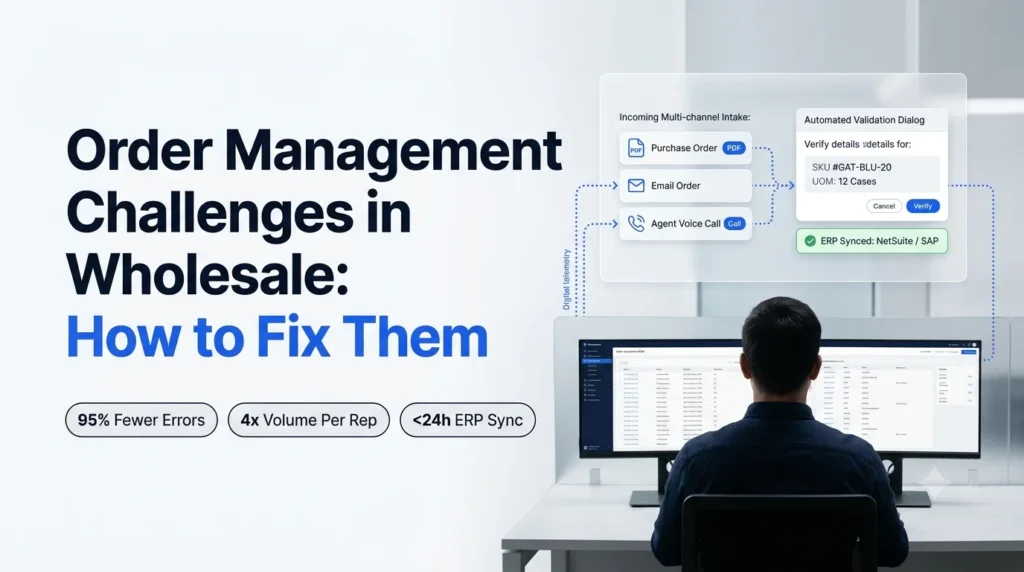
Order management challenges in wholesale rarely show up as one big failure. They show up as a rep retyping a PDF at 7:40 a.m., a missed call during the morning rush, a wrong unit of measure that ships 12 eaches instead of 12 cases, and a buyer who quietly moves part of their spend to another supplier.
This guide breaks the nine most common problems into three stages (intake, accuracy and scale), shows what each one costs, and gives a specific fix for each.
Key takeaways
- Order management challenges are the recurring problems that stop an order from moving cleanly from a buyer’s message to a shipped, invoiced line in your ERP.
- Most problems start at intake: orders arrive as emails, PDFs, faxes, texts and calls, and a person has to retype each one.
- Manual entry has a measurable error rate, and errors cluster in fields that need interpretation, such as matching a buyer’s description to your SKU.
- B2B portals and template-based OCR each fix part of the problem, but both leave exception handling with your team.
- AI order agents read orders in any format, validate them against your ERP, resolve exceptions with the buyer and write clean lines back, without asking buyers to change how they order.
Order management challenges in wholesale: an order desk rep surrounded by email, PDF, fax and phone orders waiting to be keyed into an ERP
Order Management Challenges Defined
A plain-language definition, and the four stages of the order lifecycle where problems appear.
- What order management covers in a wholesale business
- The four stages where orders break
- Why distributors feel these problems more than most
Order management challenges are the recurring problems that slow down, break or add cost to an order between the moment a buyer sends it and the moment it ships and gets invoiced. In wholesale distribution, that path runs through four stages:
- Intake: the order arrives by email, PDF attachment, fax, text, phone or portal.
- Entry: someone turns that message into structured lines in the ERP.
- Validation: SKUs, units, pricing and stock are checked, and exceptions get resolved.
- Fulfilment: the clean order releases to the warehouse, ships and gets invoiced.
A well-run order management system handles the fourth stage. The trouble is that most wholesale order desks still bridge the first three stages by hand.
Distributors feel this more than most businesses because their buyers are repeat, high-volume and set in their habits. A convenience store owner, a plumbing contractor or a pharmacy buyer will order the way they always have: a quick email, a photo of a handwritten list, a voicemail at 6 a.m.
Diagram of order management challenges across four order stages: intake, entry, validation and fulfilment
Order Management Problems Cost More Than Distributors Think
These costs rarely appear as one line item in the P&L, so they get underestimated.
- Labor spent retyping orders
- Errors that turn into returns, credits and lost customers
- Revenue lost to missed calls and slow responses
Three external data points frame the cost.
Buyers order through more channels than ever. McKinsey’s 2024 B2B Pulse survey of nearly 4,000 decision makers found B2B customers now use an average of ten interaction channels in their buying journey, up from five in 2016. More than half said they were likely to switch suppliers if those channels didn’t work smoothly together (McKinsey).
Email still carries a large share of distribution orders. A study of more than 3,500 distributor customers, reported by Distribution Strategy Group, found about 74% of end users order by email frequently or very frequently. Email, web and phone were the three most-used purchasing methods (Distribution Strategy Group).
Manual entry has a built-in error rate. A peer-reviewed study in BMJ Open measured a 2.8% error rate across manually entered fields. Fields that needed interpretation had an error rate of 5.2%, compared with 1.3% for straight transcription (BMJ Open). That gap matters in wholesale, where a rep turns “blue Gatorade, 5 cs” into a specific SKU and unit of measure all day long.
Ordana’s own benchmarks for distributors point the same way: order desk reps spending about 70% of their day keying line items, manual keying error rates of 2% to 5%, 2% to 4% of margin lost to return shipping, restocking fees and replacements, and 10% to 15% of calls lost at peak times.
The expensive part of an order error isn’t the retyping. It’s the return freight, the credit note and the buyer who starts splitting orders with a competitor.
Want to see what one of your orders costs to process? Send Ordana your messiest sample order and watch it go from inbox to ERP in a 15-minute live test.
Order Intake Challenges: Getting Orders In Cleanly
The first three challenges happen before anyone checks a SKU or a price.
- Unstructured orders arriving through every channel
- Manual keying into the ERP
- Missed calls and peak-hour backlogs
Order Intake Challenge 1: Unstructured Orders From Every Channel
The current way: Orders land in a shared inbox, a fax machine, reps’ mobile phones and voicemail. Each buyer has their own format: a PDF purchase order from a grocery chain, a two-line email from an independent store, a photo of a clipboard.
What it costs: Nobody has one view of what has come in. Orders get missed, duplicated or picked up late, and reps spend the first hour of the day sorting instead of entering.
Why the usual fix falls short: Template-based OCR can read a PDF that always looks the same. It struggles when every buyer sends something different, and it doesn’t touch emails, texts or calls.
How to fix it: one intake queue for every order format
Route every channel into a single queue and use AI that reads unstructured content (free-text emails, PDFs, scanned faxes and images) instead of fixed templates. Our guide to automated PDF order capture into your ERP shows how this works for PDF purchase orders.
Order Intake Challenge 2: Manual Keying Into the ERP
The current way: A rep reads each order and retypes it line by line into NetSuite, SAP, Microsoft Dynamics 365, Epicor or a distribution ERP, then checks the customer number, ship-to address and delivery date.
What it costs: Keying is slow, repetitive work, and it is where most errors enter the system. It also ties order capacity directly to the number of people at the desk.
How to fix it: automate entry, keep people on exceptions
Let software create the draft order in the ERP and move reps to reviewing exceptions only. If accuracy is your biggest issue right now, start with these steps to reduce manual order entry errors in wholesale.
Order Intake Challenge 3: Missed Calls and Peak-Hour Backlogs
The current way: Phone orders cluster in the early morning, right when email volume also spikes. Reps put callers on hold or let them go to voicemail and call back later.
What it costs: A call that goes unanswered at peak is often an order placed somewhere else. Ordana’s benchmark puts lost peak calls at 10% to 15% for a typical order desk. After-hours orders wait until the next morning, which squeezes the delivery window.
How to fix it: answer every order call, including after hours
Use a voice agent trained on your catalog and price tiers to take phone orders around the clock, read lines back to confirm them, and post them to the same intake queue as email and PDF orders.
Order Accuracy Challenges: Getting Orders Right
Once an order is captured, three accuracy problems decide whether it ships correctly.
- SKU and unit-of-measure mismatches
- Customer-specific pricing errors
- Stockouts and slow substitutions
Order Accuracy Challenge 4: SKU and Unit-of-Measure Mismatches
The current way: Buyers write what they call the product, not what your catalog calls it. “Blue Gatorade 20oz” might map to three SKUs, and “5” might mean five eaches, five cases or five pallets. Reps rely on memory and old orders to decide.
What it costs: This is the interpretation-heavy work where the BMJ Open study found error rates four times higher than straight copying. Wrong items mean returns, restocking and a credit note.
How to fix it: validate every line against your catalog and order history
Match each line to your product master using the description, the buyer’s own part numbers and that customer’s past orders, and flag anything below a confidence threshold. See how automated order validation for wholesale catches these mistakes before they reach the warehouse.
Order Accuracy Challenge 5: Customer-Specific Pricing Errors
The current way: Contract prices, tiered discounts, promotions and buyer-quoted prices live in different places. When the price on the buyer’s PO doesn’t match the ERP, a rep has to decide which one wins.
What it costs: Under-billing leaks margin. Over-billing triggers disputes, short payments and credit memos. Both slow down cash collection.
How to fix it: check price on every line and confirm mismatches with the buyer
Compare the buyer’s price to the contract price at entry, apply tolerance rules, and send any real mismatch back to the buyer for confirmation before the order releases.
Order Accuracy Challenge 6: Stockouts and Slow Substitutions
The current way: The order is entered, then someone finds out an item is out of stock. A rep emails or calls the buyer, waits for a reply, and the order sits.
What it costs: Orders stall in a backlog, delivery slots get missed and the buyer receives a short shipment with no warning. Ordana’s customer research lists stockouts and substitutions among the most common sources of friction on wholesale order desks.
How to fix it: check stock at entry and offer substitutes automatically
Check ERP inventory as the order comes in, propose an approved substitute, and contact the buyer by email, text or phone to confirm it, so the order keeps moving without a rep chasing it.
Order Desk Scaling Challenges: Growing Without Adding Headcount
The last three challenges are about capacity: what happens when order volume grows faster than the team.
- Capacity that only grows with headcount
- Turnover and knowledge that walks out the door
- Reactive reordering and missed add-ons
Order Desk Challenge 7: Capacity That Only Grows With Headcount
The current way: When volume grows, the desk adds a rep or approves overtime. A manual sales order processing system scales in a straight line with the number of people keying.
What it costs: Labor cost rises with revenue, seasonal peaks mean overtime or backlogs, and margins don’t improve as you grow.
How to fix it: separate order volume from headcount
Automate intake, entry and routine validation so each rep supervises far more orders. Ordana’s benchmark for distributors is four times the order volume per rep.
Order Desk Challenge 8: Turnover and Knowledge That Walks Out the Door
The current way: Your best rep knows that “the usual” from one customer means a specific 14-line order and that another customer always means cases, not eaches. That knowledge lives in their head.
What it costs: Ordana’s customer research lists high order desk turnover as a common problem. Each departure takes customer knowledge with it, and each new hire needs weeks before they key accurately.
How to fix it: put buyer-specific rules into the system
Store item aliases, default units, ship-to preferences and pricing rules for each customer in the automation layer, so accuracy doesn’t depend on who is working that day.
Order Desk Challenge 9: Reactive Reordering and Missed Add-Ons
The current way: The desk waits for buyers to get in touch. Nobody has time to notice that a regular customer is late on their usual reorder or never buys an obvious companion product.
What it costs: Missed reorders become missed revenue, and average order value stays flat because suggestions depend on a rep’s spare time.
How to fix it: pre-build carts from buying history
Use each buyer’s ordering frequency to pre-build their next cart and suggest relevant add-ons, then send it for a one-tap confirmation.
Order Management Challenges and the Common Fixes Compared
Distributors usually try one of three fixes before looking at AI agents, and each one solves part of the problem.
- What a manual order desk, a B2B portal, OCR tools and AI order agents each do well
- Where each option leaves work with your team
When order management challenges pile up, most distributors first try more staff, a B2B ordering portal or OCR-based document capture. Here is how those options compare with AI order agents.
| Manual order desk | B2B ordering portal | OCR / IDP tools | AI order agents | |
|---|---|---|---|---|
| Buyer behavior change | None | High: buyers must log in and learn the portal | None (back-office tool) | None: buyers keep emailing, texting and calling |
| Order formats handled | All, by hand | Portal orders only | Documents that match a set template | Email, PDF, fax, text and voice |
| Exception handling | Manual | Manual: buyer or rep fixes errors | Manual: flags errors for a person | Automated: contacts the buyer to confirm price or substitute |
| Setup time | Hiring and training | 3 to 6 months | Template setup per vendor | Under 24 hours with pre-built ERP connectors (Ordana) |
| Scales with volume | Only with headcount | Only for buyers who adopt it | For templated documents | Yes, across channels |
| Best fit | Very low order volume | Buyers who already order online | High volume of identical documents | Mixed, unstructured order channels |
Portals work well for buyers who already prefer self-service, and OCR works for documents that never change layout. The gap is everything else. For a closer look at the technology difference, read our comparison of AI order processing vs. OCR.
Comparison of a manual order desk, B2B portal, OCR tools and AI order agents for fixing order management challenges
Order Management Challenges: A 4-Step Fix Plan for Distributors
A practical sequence for fixing these problems without a long IT project.
- Audit channels and set a baseline
- Clean the data the automation will rely on
- Automate intake, validation and ERP entry
- Measure, then expand
Order Management Step 1: Audit Every Channel and Set a Baseline
List every way orders arrive, then count a typical week by channel, buyer and format. Track minutes per order, corrections per 100 orders, backlog at 10 a.m. and missed calls. You need these numbers to prove ROI later.
Order Management Step 2: Clean Your Product and Customer Data
Fix duplicate SKUs, missing units of measure and outdated contract prices in the ERP. Automation is only as accurate as the product master it matches against.
Order Management Step 3: Automate Intake, Validation and ERP Entry
Start with your highest-volume channel. For most distributors, that is email and PDF orders. Plan your AI agent integration with the order desk so orders write straight into your ERP order processing flow, not into another spreadsheet.
Order Management Step 4: Measure, Then Expand to Voice and Chat
Compare results against your baseline after 30 days, then extend order management automation to phone and text orders.
Order Management Challenges Solved With Ordana
Ordana is an AI platform for the wholesale order desk that fixes the problems above without asking buyers to change how they order.
- Four AI agents, each mapped to specific challenges
- How Ordana connects to your ERP
- How your order and pricing data stays protected
Ordana is built on one principle: zero buyer behavior change. Instead of moving buyers onto a portal, Ordana’s AI agents work across the channels buyers already use, then write clean, validated order lines straight into your ERP. Here is how each agent maps to the order management challenges in this guide.
| Challenge | Ordana agent | What changes |
|---|---|---|
| 1. Unstructured orders from every channel | Agent Desk, Agent Chat | Emails, PDFs, faxes and texts are read and turned into structured orders |
| 2. Manual keying into the ERP | Agent Desk | Clean, validated lines are written straight into the ERP |
| 3. Missed calls and peak-hour backlogs | Agent Voice | Order calls are answered 24/7 |
| 4. SKU and unit-of-measure mismatches | Agent Desk | Missing or unclear SKUs are resolved with the buyer |
| 5. Customer-specific pricing errors | Agent Desk | Price mismatches are confirmed with the buyer before release |
| 6. Stockouts and slow substitutions | Agent Desk, Agent Voice | Stock is checked at entry and substitutes are confirmed by email, text or call |
| 7 and 8. Capacity, turnover and lost knowledge | All agents | Reps supervise exceptions instead of keying every line |
| 9. Reactive reordering and missed add-ons | Agent Predict | Carts are pre-built from buying history, with suggested add-ons |
Order Entry Automation With Agent Desk
Agent Desk handles order parsing and exceptions from start to finish. It reads orders from PDFs, emails and faxes, checks stock in your ERP, resolves missing SKUs and pricing questions by emailing or texting the buyer, and syncs the clean order.
Ordana Agent Desk turning an emailed PDF purchase order into validated ERP order lines
Order Intake by Phone and Text With Agent Voice and Agent Chat
Agent Voice answers inbound order calls 24/7. It is trained on your catalog and pricing tiers, and when Agent Desk flags a stockout, it can call the buyer to confirm a substitute. Agent Chat takes orders by SMS and web chat, turning a message like “send 5 cases gatorade blue” into an instant quote or order.
Order Growth With Agent Predict
Agent Predict analyzes how often each buyer orders, pre-builds their cart before they contact the desk, and suggests relevant add-ons to lift average order value.
Order Data Security and ERP Connections
Ordana connects to NetSuite, SAP, Microsoft Dynamics 365, Epicor, QuickBooks Enterprise, Produce Pro and Encompass through pre-built connectors, and states that deployments go live in under 24 hours. Your data stays protected:
- Tenant isolation: order details and pricing matrices are isolated per distributor account.
- No cross-client training: your catalog and pricing data is never used to train models for other distributors.
- Encryption and audit trails: TLS 1.3 in transit, AES-256 at rest, and a documented audit trail for every automated transaction.
- Clean exit: if you leave, buyer history, logs and ERP mappings are permanently deleted.
Distributors using Ordana report four times the order volume per rep, 95% fewer entry errors and zero unanswered order calls, according to Ordana’s benchmarks.
See it on your own orders. Book a 15-minute live test with Ordana and send one of your messiest sample orders. Your buyers don’t change a thing.
Order Management Challenges FAQ
Short answers to the questions distributors ask most often.
- The most common problems and what causes errors
- Portals, OCR and AI compared
- Setup time and what to look for in software
What are the most common order management challenges in wholesale?
The most common are unstructured orders arriving through many channels, manual keying into the ERP, missed calls at peak times, SKU and unit-of-measure mismatches, customer-specific pricing errors, stockouts and slow substitutions, capacity that only grows with headcount, order desk turnover, and reactive reordering.
What causes order entry errors in wholesale distribution?
Most errors come from interpretation rather than typing: matching a buyer’s description to the right SKU, choosing the right unit of measure and applying the right contract price. A BMJ Open study found a 5.2% error rate in fields that needed interpretation, compared with 1.3% for straight transcription.
Do I need a B2B ordering portal to fix order management problems?
Not necessarily. Portals help buyers who already like self-service, but many wholesale buyers keep ordering by email, phone and text. AI order agents can automate those orders without asking buyers to change how they order.
How is AI order processing different from OCR?
OCR turns a document image into text, usually with a template for each document layout, and leaves errors for a person to fix. AI order processing reads unstructured orders in any format, validates each line against your ERP and resolves exceptions with the buyer.
How long does it take to automate order entry?
It depends on the approach. Ordana’s analysis puts B2B portal and EDI onboarding at three to six months. Ordana states its AI agents go live in under 24 hours using pre-built ERP connectors.
What should I look for in order processing software?
Look for support for every channel your buyers use, line-level validation against your ERP, automated exception handling, native ERP connectors and clear data security terms. Our guide to choosing order processing software covers each point in detail.
Order Management Challenges Are Fixable: Where to Start
Pick one channel, measure it and automate it before you expand.
- Start with the channel that carries the most orders
- Measure before and after
- Keep buyers ordering the way they already do
Order management challenges in wholesale come from the same root: orders arrive in formats built for people, and people have to translate them for the ERP. Adding headcount moves the problem around. Fixing intake, validation and exception handling removes it.
Start with your highest-volume channel, set a baseline, and test automation on real orders from your own buyers.
Ready to try it? See Ordana process one of your real orders in a 15-minute live test, with no change for your buyers.
← Back to all blogs