Key Takeaways
- Touchless order processing means a buyer’s order travels from inbox, fax, text or phone call into your ERP without an order desk rep keying a single line.
- The blocker is not capture. It is exceptions: unknown SKUs, price mismatches and stockouts that still need a human to chase the buyer.
- APQC data shows top-performing organizations process 94% of orders with no human intervention, while bottom performers need a person on 20% or more.
- Portals and EDI ask buyers to change how they order. A touchless order desk works on the channels buyers already use.
- Start with one channel and one customer segment, track your touchless rate weekly, and expand once exceptions are being resolved automatically.
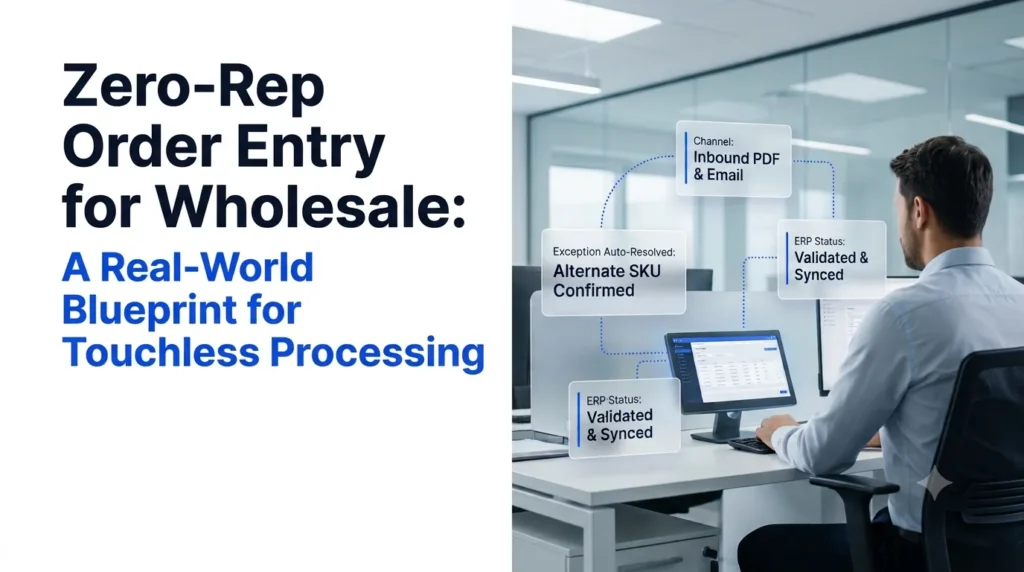
Zero-rep order entry for wholesale is the practice of processing incoming customer orders end to end, from receipt to a confirmed sales order in the ERP, with no order desk rep typing, checking or chasing the order. In plain terms: the order arrives as a PDF, an email, a fax, a text or a voice call, and it lands in your ERP as clean, validated order lines on its own.
Most distributors already run some form of automated order processing. Very few reach true touchless processing, because the last mile (exceptions) still routes back to a person. This guide lays out a practical blueprint for closing that gap: what has to happen at each stage, how to compare your options, how to roll it out, and which numbers prove it is working.
What Zero-Rep Order Entry in Wholesale Actually Means
A plain-language definition, and the four conditions an order must meet to count as touchless.
- The difference between “automated” and “zero-rep”
- The four conditions of a touchless order
- Why the touchless rate is the metric to track
Plenty of order desks call themselves automated because an OCR tool reads PDFs. But if a rep still opens every order to fix a SKU, approve a price or call the buyer about a stockout, the order is not touchless. It is assisted.
An order only counts as zero-rep order entry when it meets all four conditions:
- Captured without re-keying. The order is read from its original channel, whatever the format.
- Matched without lookup. Customer part numbers, descriptions and units of measure are mapped to your SKUs automatically.
- Validated without review. Pricing, credit, minimums and stock are checked against the ERP before the order is created.
- Resolved without a rep. If something is wrong, the system contacts the buyer, gets an answer and updates the order.
If you only automate the first condition, you have faster data entry. If you automate all four, you have a truly touchless order desk.
The metric that captures this is your touchless rate: the share of orders created, modified and fulfilled with no human intervention. APQC tracks this exact measure, and its benchmarking shows top performers process 94% of orders without human intervention, while bottom performers need human input on 20% or more.
Zero-Rep Order Entry Starts With the Current Way Orders Get Processed
Before designing the target state, map how orders move through your desk today and where the hours go.
- The current way: email, PDF, fax, text and phone into a manual queue
- The forced tradeoff between buyer convenience and back-office efficiency
- What the manual model costs in labor, errors and lost calls
Wholesale Order Entry Today: The Current Way
Walk any wholesale order desk at 8 a.m. and you will see the same pattern. Orders arrive as PDF purchase orders, plain-text emails, faxed sheets, photos of handwritten lists, texts from route drivers and calls from store managers. Each one is read by a rep, keyed into the ERP line by line, checked against stock and pricing, and confirmed back to the buyer.
According to Ordana’s work with distributors, order desk reps spend around 70% of their day keying line items into the ERP. Morning spikes create backlogs, and every exception (a discontinued SKU, an out-of-date price, a short-shipped item) triggers a back-and-forth email or call. These are the same order management challenges in wholesale that show up whether you sell food and beverage, industrial parts or electrical supply.
Touchless Processing Tradeoffs Distributors Are Forced Into
Distributors have historically faced an either-or choice:
- Keep buyer convenience. Accept orders in any format, and absorb the labor cost of keying them.
- Push buyers onto a portal or EDI. Cut keying, but ask every customer to change how they order, and wait months for onboarding.
The negative consequence of the first option is a desk that scales only with headcount. The consequence of the second is low adoption: convenience-store owners, contractors and kitchen managers rarely log into a portal when they can send a text.
Touchless Order Processing vs. the Cost of Manual Keying
The manual model costs money in three places:
- Labor. APQC reports that organizations without order processing automation spend $1.64 per $1,000 of revenue managing sales orders, compared with $1.11 for automated organizations. For a $2 billion distributor, that gap is more than $1 million a year (SDCExec, APQC benchmarks).
- Errors. Ordana’s research puts manual keying error rates at 2% to 5%, with each mistake leading to returns, restocking and discounted replacements. We cover the fixes in detail in our guide on how to reduce manual order entry errors in wholesale.
- Missed calls. During peak hours, Ordana estimates that 10% to 15% of phone orders go unanswered, which is revenue that walks to a competitor.
Want to see what your messiest order looks like when nobody touches it? Book a 15-minute live test with Ordana.
Zero-Rep Order Entry Blueprint: Four Stages of Touchless Processing
Every touchless order passes through the same four stages, and each stage has a clear pass-or-fail test.
- Stage 1: capture from every channel
- Stage 2: interpret and match to your catalog
- Stage 3: validate and resolve exceptions without a rep
- Stage 4: write to the ERP and confirm to the buyer
Touchless Capture: Read Every Channel Buyers Already Use
Capture is where most projects start and, too often, where they stop. A touchless order entry system has to read:
- PDF and Excel purchase orders attached to email
- Free-text order emails (“same as last week plus 4 cases of the 12oz”)
- Faxes and scanned or photographed order sheets
- SMS and chat messages
- Inbound phone calls
Pass test: no order is printed, retyped or forwarded to a shared inbox for manual handling. For the PDF channel specifically, see how automated PDF order capture into your ERP works without vendor-by-vendor templates.
Touchless Interpretation: Map Buyer Language to Your SKUs
Buyers do not order in your SKU codes. They use their own part numbers, nicknames, old item codes and units of measure (“a case”, “a pallet”, “the usual”). Template-based OCR breaks here because every customer formats orders differently. AI agents read the order in context, use the buyer’s order history and map each line to the right item, pack size and unit.
This is the core difference explained in our comparison of AI order processing vs. OCR: OCR extracts characters, while an AI agent understands what the buyer meant.
Pass test: customer part numbers and descriptions resolve to ERP SKUs with no rep lookup.
Touchless Validation: Resolve Exceptions Without a Rep
This is the stage that separates assisted automation from zero-rep order entry. Each order is checked against the ERP for:
- Stock availability by warehouse
- Contract and tier pricing
- Credit holds and payment terms
- Minimum order quantities and delivery windows
When a check fails, a traditional tool flags the order for a person. A touchless system acts instead: it emails or texts the buyer to confirm a substitution, or places an outbound call, then updates the order with the answer. Our guide to automated order validation for wholesale breaks down the rules most distributors start with.
Pass test: stockouts and price mismatches are resolved with the buyer, and logged, without a rep in the loop.
Touchless ERP Write-Back: Create the Order and Confirm It
The final stage writes structured, validated order lines into the ERP (NetSuite, SAP, Microsoft Dynamics 365, Epicor, Produce Pro and similar) and sends the buyer a confirmation. Every automated decision should leave an audit trail so your team can see what was changed and why. For how this fits your existing system, see our overview of ERP order processing.
Pass test: the sales order appears in the ERP with correct lines, pricing and ship date, and the buyer receives confirmation, with zero rep keystrokes.
Zero-Rep Order Entry vs. Portals, EDI and OCR
Each approach removes some manual work. Only one removes the rep from both capture and exception handling.
- Buyer adoption friction
- Who resolves exceptions
- Time to go live
| Dimension | B2B portal | EDI | Legacy OCR / IDP | Touchless AI agents (Ordana) |
|---|---|---|---|---|
| Buyer behavior change | High: buyers must learn a new portal | High: buyers need EDI capability | None: back-office tool | None: buyers keep email, PDF, fax, text, phone |
| Channels covered | Portal only | EDI partners only | Documents only | Documents, email, text, chat and voice |
| Exception handling | Buyer or rep fixes errors | Rep handles rejects | Flags errors for a person | Agent contacts buyer and updates the order |
| Setup | Months of build and onboarding | Per-partner mapping | Template setup per vendor | Ordana reports live in under 24 hours via pre-built connectors |
| Fit for small, long-tail buyers | Low | Low | Medium | High |
Comparison based on Ordana’s competitive analysis. Validate against your own vendor evaluations.
If you are weighing document tools specifically, our guide to the intelligent document processing alternative for order entry goes further.
Zero-Rep Order Entry Rollout: A Real-World Blueprint in Five Steps
A phased plan that proves touchless processing on a narrow slice before scaling it across the desk.
- Baseline your current metrics
- Pick a pilot channel and segment
- Set exception rules
- Measure touchless rate weekly
- Expand channel by channel
Step 1: Baseline Your Wholesale Order Desk
Record four numbers for the last 30 days: orders per rep per day, average entry time per order, error rate (credits and returns tied to entry mistakes) and the share of orders that need a follow-up with the buyer.
Step 2: Pick a Zero-Touch Pilot Scope
Choose one channel and one segment with high volume and repetitive orders. Emailed PDF orders from your top 50 accounts are a common starting point because the format is consistent and the volume is visible.
Step 3: Define Touchless Exception Rules
Decide in advance what the system may do on its own: which substitutions are acceptable, which price variances are within tolerance, and which situations (credit holds, new customers, unusually large orders) always route to a person. Clear rules are what let you trust the output. Our guide to AI agent order desk integration covers how this connects to your existing workflow.
Step 4: Track Your Touchless Rate Weekly
Measure the touchless rate, exception rate, order cycle time (receipt to confirmed order) and error rate each week. Benchmark against APQC: top performers run at 94% touchless, and anything below 80% means human intervention on more than one order in five.
Step 5: Expand Touchless Processing Across Channels
Once the pilot holds its touchless rate for four consecutive weeks, add the next channel (fax, text or voice) and the next customer segment. Reps move from keying orders to managing accounts and handling the true edge cases.
Ready to baseline your desk? Talk to Ordana about a pilot on your highest-volume channel.
How Ordana Delivers Zero-Rep Order Entry for Wholesale
Ordana is a vertical AI platform built for the wholesale order desk, using four agents that sit on top of your existing ERP.
- Agent Desk for documents and exceptions
- Agent Voice for phone orders
- Agent Chat for text and web orders
- Agent Predict for cart pre-building
- Security and deployment
Ordana is built on a Zero Buyer Behavior Change approach: your customers keep ordering the way they do today, and the agents handle everything between the order and the ERP.
- Agent Desk parses PDFs, emails and faxes, checks stock in the ERP, resolves missing SKUs or pricing by contacting the buyer through email or SMS, and syncs the clean order.
- Agent Voice answers inbound order calls 24/7, trained on your catalog and price tiers, and makes outbound calls to resolve exceptions when Agent Desk flags a stockout.
- Agent Chat takes orders by text and web chat, turning messages like “send 5 cases gatorade blue” into an instant quote or order.
- Agent Predict studies each buyer’s ordering frequency, pre-builds carts before they contact your desk and suggests relevant add-ons to lift order value.
Ordana reports that distributors using the platform process 4x more orders per rep with a 95% reduction in entry errors, and go live in under 24 hours through pre-built ERP connectors, compared with three to six months for typical portal or EDI onboarding.
Because order histories and pricing are trade secrets, Ordana isolates data per distributor, never uses one customer’s data to train models for another, encrypts data in transit (TLS 1.3) and at rest (AES-256), keeps an audit trail of every automated transaction and deletes all data on contract exit.
See touchless order processing run on your own orders. Book a live test with Ordana.
Frequently Asked Questions (FAQ’s)
What is zero-rep order entry in wholesale?
It is the processing of customer orders from receipt to a confirmed ERP sales order without an order desk rep keying, checking or chasing the order. Capture, SKU matching, validation and exception resolution are all handled automatically.
How is touchless order processing different from OCR?
OCR extracts text from documents and flags problems for a person. Touchless order processing also interprets buyer intent, validates against the ERP and resolves exceptions with the buyer, so no rep is needed.
Do my customers have to change how they order?
No. A touchless, AI-agent approach works on the channels buyers already use, including email, PDF, fax, text, chat and phone. That is the main difference from portals and EDI.
Which ERPs does touchless order entry work with?
Ordana connects to legacy and cloud ERPs including NetSuite, SAP, Microsoft Dynamics 365, Epicor, QuickBooks Enterprise, Produce Pro and Encompass through pre-built connectors.
What happens to order desk reps?
Reps shift from keying orders to managing key accounts, handling true edge cases and growing order value. The goal is more orders per rep, not fewer people serving customers.
What is a good touchless rate to aim for?
APQC benchmarking shows top performers process 94% of orders with no human intervention. Most distributors start lower and improve each month as exception rules mature.
← Back to all blogs