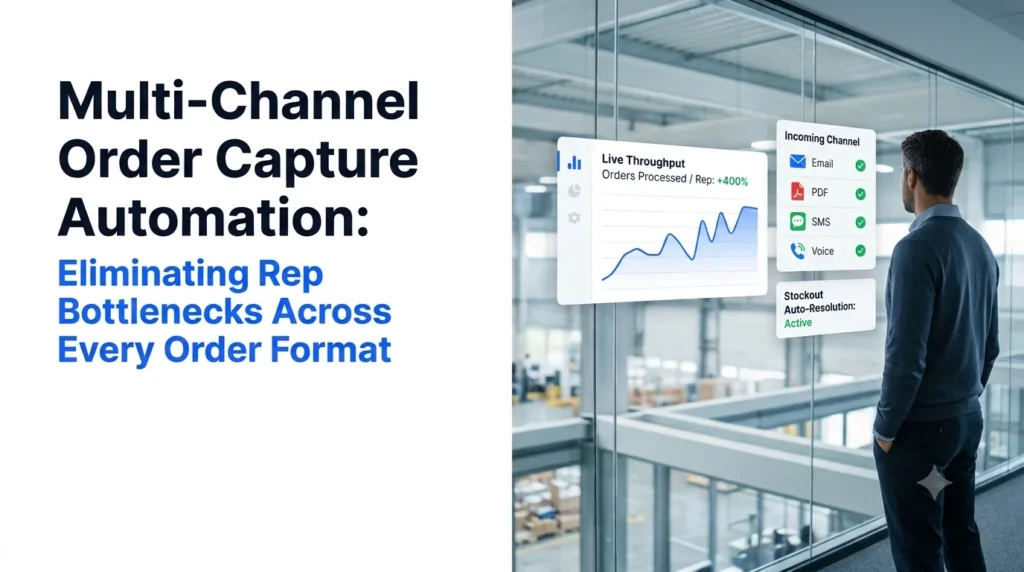
Multi-channel order capture automation is software that reads B2B orders from every channel your buyers already use (PDF attachments, email bodies, faxes, SMS, web chat and phone calls), turns them into validated order lines, and writes them straight into your ERP without a rep retyping a single SKU.
For most wholesale distributors, the real problem is not order volume. It is order format. One customer sends a clean PDF purchase order. Another texts “same as last week, double the blue Gatorade.” A third faxes a handwritten sheet at 6:40 a.m. and calls at 7:15 to change it. Every one of those formats lands on the same small team of order desk reps, and every one has to be keyed by hand.
That is where the bottleneck forms. This guide covers where manual capture breaks down across channels, what the usual fixes cost you, and how AI agents capture orders from every format without asking buyers to change how they order.
Key Takeaways
- Multi-channel order capture automation reads orders from PDF, email, fax, phone, SMS and chat, then posts validated lines to your ERP.
- The order desk bottleneck comes from format fragmentation, not just volume: reps lose most of the day switching channels and retyping lines.
- Hiring, B2B portals, EDI and template-based OCR each fix one part of the problem but push work onto buyers or back onto reps.
- AI agents resolve exceptions (unmapped SKUs, price mismatches, stockouts) with the buyer directly instead of parking them in a queue.
- Ordana benchmarks: up to 4x orders per rep, a 95% reduction in entry errors, and go-live in under 24 hours.
What Is Multi-Channel Order Capture Automation?
A plain-language definition, and how it differs from tools that only handle one order channel.
- What the system does, from intake to ERP
- How it compares with single-channel capture tools
- The order formats a typical distributor receives each day
Order capture is the first step of automated order processing: getting what the buyer asked for out of their message and into a structured sales order. Automating it across channels means one system handles every inbound format, instead of a separate tool, or a separate person, for each one.
The workflow runs in four stages:
- Ingest: pick up the order wherever it arrives, whether that is a shared inbox, a fax server, a phone line, an SMS number or a chat widget.
- Interpret: read the content, including free text, tables, handwriting and speech, and work out products, quantities, ship-to address and delivery date.
- Validate: match each line against your item master, customer-specific pricing, units of measure and live stock.
- Post: write a clean sales order into the ERP, or send exceptions back to the buyer for confirmation first.
Multi-Channel Order Capture vs. Single-Channel Capture Tools
Most order automation tools were built for one input. OCR and intelligent document processing (IDP) tools read PDFs and scans. EDI handles structured transactions from large trading partners. B2B portals capture orders that buyers type in themselves. Each covers a slice of your volume, and everything else still lands on the order desk.
Multi-channel capture treats the channel as a detail. A PDF, a voicemail and a text message all end in the same validated ERP order. For a closer look at why template-based tools stall on messy documents, see our comparison of AI order processing vs. OCR.
Order Capture Formats Distributors Receive Every Day
| Channel | What it looks like | Why it is hard to key by hand |
|---|---|---|
| PDF purchase orders | Buyer-generated POs, a different layout for every customer | Layouts vary; customer part numbers rarely match your SKUs |
| Email body orders | Free-text lists typed into an email or reply thread | No structure, abbreviations, quantities buried in sentences |
| Fax and scanned sheets | Printed or handwritten order forms | Poor image quality, handwriting, crossed-out lines |
| Phone calls and voicemail | Buyer reads the order to a rep or leaves a message | Needs a rep free at that moment; peak-hour calls go unanswered |
| SMS and chat | “5 cs gatorade blue, 2 cs water” | Shorthand, product nicknames, no item codes |
| Spreadsheets | Order templates the buyer has edited | Shifted columns, merged cells, totals mixed with order lines |
Why Manual Multi-Channel Order Capture Creates Rep Bottlenecks
Where order desk time actually goes when every channel is handled by hand.
- The morning order spike
- The cost of switching between formats
- Exception loops that stall orders
- Calls that go unanswered at peak
Operations leaders we work with report that order desk reps spend around 70% of their day keying line items into the ERP. The rest of the day goes to the work that genuinely needs a person: account management, complex requests and buyer relationships. Four patterns turn that keying load into a bottleneck.
Order Capture Bottleneck 1: The Morning Spike
Orders do not arrive evenly. Buyers place them before their trading day starts and before your cut-off for next-day delivery. A desk sized for average volume falls behind every morning, and orders keyed after cut-off ship a day late.
Order Capture Bottleneck 2: Format Switching
A rep can move from a PDF to a fax to a phone call to a text thread inside ten minutes. Each format needs a different reading process, and each switch costs focus. This is where transposed digits and wrong units of measure creep in. Our guide on how to reduce manual order entry errors in wholesale shows where those mistakes start.
Order Capture Bottleneck 3: Exception Loops
When a SKU is out of stock, a customer part number does not map, or a price does not match the contract, the order stops. The rep emails or calls the buyer, waits, then either holds the order or keys a partial one. Multiply that by dozens of orders a day and the queue never clears.
Order Capture Bottleneck 4: Missed Calls at Peak
Phone orders need a person on the line at the exact moment the buyer calls. Distributors typically lose 10% to 15% of calls at peak times, and a buyer who cannot get through often places that order with a competitor.
See it on your own orders. Send Ordana one PDF, one fax and one voicemail from last week, and compare the ERP-ready output with what your desk keyed by hand.
Order Capture Automation Alternatives: The Tradeoffs Distributors Accept Today
The usual ways distributors try to fix order capture, and what each one costs.
- Hiring more order desk reps
- B2B ordering portals and EDI
- OCR and IDP tools
- A side-by-side comparison
Hiring more reps scales linearly. Every new rep needs training on your catalog, customers and ERP screens, and order desk turnover means you repeat that training often.
B2B portals and EDI move the work onto the buyer. Large accounts may adopt EDI, but a convenience store owner or a plumbing contractor is not going to log into a portal when a text message works. Portal and EDI onboarding typically takes three to six months, and adoption rarely reaches the long tail of smaller buyers.
OCR and IDP tools read documents but do not resolve them. They need setup for each customer layout, they do not cover phone or SMS, and they flag exceptions for a person to fix. Here is why many distributors look for an intelligent document processing alternative for order entry.
| Hiring more reps | B2B portal or EDI | OCR or IDP tools | Multi-channel AI agents | |
|---|---|---|---|---|
| Channels covered | All, by hand | Portal or EDI only | PDFs and scans | PDF, email, fax, phone, SMS, chat |
| Buyer behavior change | None | High | None | None |
| Exception handling | Manual | Buyer or rep fixes it | Flagged for a person | Agent confirms with the buyer |
| Time to go live | Weeks per hire | 3 to 6 months | Template setup per customer | Under 24 hours |
| Scales with volume | Only with headcount | Only for adopters | Only for documents | Yes, across all channels |
Manual Order Capture Costs: What Bottlenecks Do to Margin and Service
The downstream cost of capture delays and keying errors.
- Error rates and margin loss
- Late shipments and missed cut-offs
- Buyer retention and rep turnover
Manual keying carries a 2% to 5% error rate. Each wrong SKU or quantity turns into a return, a reship, a restocking fee or a credit note, and finance teams we speak with put the margin impact of order entry errors at 2% to 4%.
- Margin: return freight, reships and discounted replacement goods.
- Service: orders keyed after cut-off miss the truck, and buyers notice.
- Retention: repeated errors push buyers to trial another supplier.
- People: reps hired for customer relationships spend their day as typists, which drives turnover.
The order desk rarely has a pure volume problem. It has a format problem, and adding headcount only buys more typing.
For the wider picture, read our breakdown of order management challenges in wholesale.
How Multi-Channel Order Capture Automation Works, Channel by Channel
What AI agents do with each order format, from intake to a validated ERP order.
- PDF and email orders
- Fax and scanned orders
- Phone orders
- SMS and chat orders
- Validation before anything reaches the ERP
Automated Order Capture From PDF and Email
The agent monitors the order inbox, reads attachments and email bodies, and extracts lines without per-customer templates. It maps customer part numbers and product descriptions to your SKUs using each buyer’s order history. Read more about automated PDF order capture to ERP.
Automated Order Capture From Fax and Scanned Sheets
Faxes and scans are read with handwriting-capable models. Crossed-out lines and margin notes are interpreted in context, and anything uncertain is confirmed with the buyer rather than guessed.
Automated Order Capture From Phone Calls
A voice agent answers inbound order calls around the clock, trained on your catalog and price tiers. It reads the order back, confirms quantities and creates the order while the buyer is still on the line, so nothing drops to voicemail during the morning rush.
Automated Order Capture From SMS and Chat
Buyers text the way they talk: “send 5 cases gatorade blue.” A chat agent turns shorthand and product nicknames into catalog items and replies with a quote or an order confirmation.
Order Capture Validation Before the ERP
Every line, from every channel, passes the same checks: valid SKU, correct unit of measure, customer-specific price, stock availability and delivery date. When a check fails, the agent contacts the buyer by email, SMS or phone to confirm a substitution or price, then posts the corrected order. See how automated order validation for wholesale works in more detail.
Multi-Channel Order Capture Automation Benefits for the Order Desk
What changes for reps, operations leaders and finance once capture is automated.
- Capacity per rep
- Accuracy and margin protection
- Revenue recovered from missed calls
- Time to value
| Metric | Manual order capture | With automated capture (Ordana benchmark) |
|---|---|---|
| Orders per rep | Grows only with headcount | Up to 4x per rep |
| Entry error rate | 2% to 5% of lines | Up to 95% reduction |
| Peak-hour calls lost | 10% to 15% | Zero unanswered calls |
| Time to go live | 3 to 6 months for portal or EDI | Under 24 hours |
For the VP of Operations, that means more order capacity without adding headcount or overtime. For the CFO, it means fewer credits and reships and a payback period measured in months. For reps, it means trading keying for account work: chasing overdue reorders, handling complex requests and growing existing customers.
Multi-Channel Order Capture Automation With Ordana
How Ordana’s four AI agents cover every order channel on top of your existing ERP.
- Ordana Desk for documents and email
- Ordana Voice for phone orders
- Ordana Chat for SMS and web ordering
- Ordana Predict for reorders and order value
- ERP integration and data security
Ordana is a vertical AI platform built for the wholesale order desk. It runs on a zero buyer behavior change principle: your customers keep ordering by PDF, email, fax, phone or text, and Ordana’s agents handle capture, validation and ERP entry behind the scenes.
- Ordana Desk, the AI order desk agent, parses PDFs, emails and faxes, checks stock in your ERP, resolves missing SKUs or pricing with the buyer by email or SMS, and syncs the clean order.
- Ordana Voice, the AI phone ordering agent, answers order calls 24/7 and places outbound calls when Desk flags a stockout that needs a buyer decision.
- Ordana Chat, the SMS and web chat ordering agent, turns messages like “send 5 cases gatorade blue” into instant quotes or orders.
- Ordana Predict, the predictive reorder agent, studies each buyer’s ordering pattern and pre-builds carts before they get in touch, with suggested add-ons that lift average order value.
Works with your ERP. Ordana sits on top of systems such as NetSuite, SAP, Microsoft Dynamics 365, Epicor, QuickBooks Enterprise, Produce Pro and Encompass through pre-built connectors, so there is no rip-and-replace. Learn how this fits into ERP order processing.
Keeps your data yours. Order data and pricing matrices are isolated per distributor, your catalog and pricing are never used to train models for other customers, data is encrypted in transit (TLS 1.3) and at rest (AES-256), and everything is deleted if you leave.
How to Roll Out Multi-Channel Order Capture Automation in 5 Steps
A practical rollout sequence that avoids disrupting buyers or the order desk.
- Audit channels and pick a pilot
- Connect the ERP and set exception rules
- Measure, then expand
- Audit your order channels. Count a typical week of orders by channel, format and customer, and note where errors and delays cluster.
- Pilot on your messiest channel. Start with the format that eats the most rep time, often PDFs from many customers or morning phone orders.
- Connect your ERP and catalog. Item master, customer price lists, units of measure and the stock feed.
- Set exception rules. Decide which issues the agent resolves with the buyer (substitutions, price confirmations) and which go to a rep (credit holds, new accounts).
- Measure and expand. Track orders per rep, touchless order rate, error rate and order-to-ERP time, then add channels once the pilot hits target.
Capture is one part of the order-to-cash flow. Our guide to sales order automation covers what happens after the order lands in the ERP.
Start Multi-Channel Order Capture Automation With One Messy Order
Your buyers will keep ordering by PDF, phone, fax and text, because that is what works for them. Multi-channel order capture automation accepts that and removes the keying instead. Start with the channel that hurts most, prove the numbers on real orders, and expand from there. Your reps get their day back, your buyers change nothing, and your ERP gets cleaner data from every channel.
Frequently Asked Questions (FAQ’s)
What is multi-channel order capture automation?
Multi-channel order capture automation is software that reads B2B orders from PDF, email, fax, phone, SMS and chat, validates each line against your catalog, pricing and stock, and posts a clean sales order into your ERP without manual keying.
Which order channels can be automated?
PDF purchase orders, email body orders, faxes and scanned sheets, spreadsheets, inbound phone calls and voicemail, SMS and web chat. AI agents handle each format without per-customer templates.
How is it different from OCR order capture?
OCR reads text from documents and usually needs a template for each layout. It does not cover phone or SMS orders, and it flags errors for a person to fix. AI agents interpret every format and resolve exceptions with the buyer directly.
Do my customers need to change how they order?
No. Buyers keep ordering the way they do today. The automation works behind your existing inbox, fax line, phone number and SMS number, so there is no portal to adopt.
How long does it take to set up?
Ordana connects to your ERP through pre-built connectors and can go live in under 24 hours, compared with three to six months for a typical portal or EDI rollout.
Which ERP systems does it work with?
Ordana works with ERPs including NetSuite, SAP, Microsoft Dynamics 365, Epicor, QuickBooks Enterprise, Produce Pro and Encompass.
What happens when an order has an error or an out-of-stock item?
The agent flags the issue during validation, then contacts the buyer by email, SMS or phone to confirm a substitution, quantity or price. The corrected order is posted to the ERP, and anything outside your rules is routed to a rep.
← Back to all blogs