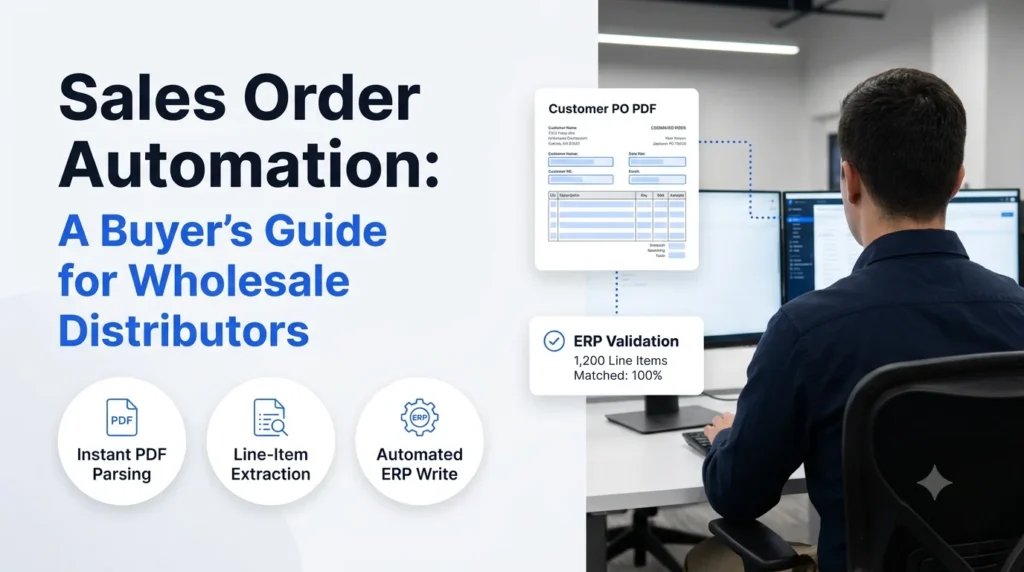
Sales order automation is the use of software to capture, validate, and enter customer orders into your ERP without a person retyping them. For wholesale distributors, where orders arrive as PDFs, emails, spreadsheets, faxes, and phone calls, it is the difference between an order desk that scales with volume and one that needs a new hire every time sales grow.
This guide is written for the person who has to choose a solution. It covers what to look for, how the main approaches compare, which questions to put to vendors, and how to roll out without disrupting the ERP you already run.
Key takeaways
- Automation removes retyping, not people. Your team shifts from keying data to reviewing exceptions.
- Order formats vary by customer, so a solution built on fixed templates will keep breaking. Look for one that reads orders the way a trained rep does.
- Validation against your ERP data (SKUs, pricing, units, customer accounts) matters as much as capture.
- Your ERP stays as the system of record. The right tool sits in front of it and writes clean orders into it.
- Build the business case from your own numbers: orders per day, minutes per order, error rework, and delayed shipments.
Sales Order Automation: What It Is and How It Works
In one line: sales order automation turns incoming customer orders into validated ERP entries with a human reviewing only the exceptions.
- An order arrives by email, PDF, spreadsheet, EDI, portal, or voice.
- Software extracts the line items, quantities, ship-to details, and references.
- It matches each line to your item master and customer-specific pricing.
- Clean orders post to the ERP. Doubtful ones go to a person with the problem highlighted.
What counts as sales order automation
The term covers a spectrum. At one end is rules-based extraction that works only on fixed layouts. At the other are AI agents that read an order in any format, ask for clarification when something is unclear, and learn from corrections. Most distributors need the second kind, because their customers will not change how they send orders. If you want the broader picture of how orders move from request to fulfillment, the guide to order management systems is a useful companion.
Where it sits next to your ERP and order management system
This software does not replace your ERP. It feeds it. Think of it as the front door: it handles the messy intake so the ERP receives structured, validated data. This is the idea behind ERP order processing, and it is why implementation can be measured in weeks, not in the months a system swap would take.
Why Distributors Automate Sales Order Entry
In one line: manual order entry is slow, error-prone, and hard to scale, and the cost shows up in places finance rarely tracks.
- Order desk staff spend their day retyping data that already exists in a customer’s document.
- Small keying mistakes become wrong items, wrong quantities, returns, and credit notes.
- Orders sit in an inbox until someone gets to them, which delays picking and shipping.
- Experienced reps get pulled into data entry instead of serving accounts.
If your team still works this way, the manual sales order processing system breakdown shows where the hours go. For the error side specifically, see how to reduce manual order entry errors in wholesale. Teams that want a wider view of the intake problem can also read about data entry automation and how to manage sales orders at higher volume.
Sales Order Automation Approaches Compared
In one line: the four common approaches differ mainly in how well they handle format variety and how much setup they need.
| Approach | How it works | Handles format variety | Setup effort | Typical fit |
|---|---|---|---|---|
| Rules and templates | Fixed layouts mapped field by field | Low | High per customer | A few customers with stable formats |
| OCR | Converts images and PDFs to text | Low to medium | Medium | Clean, consistent scans |
| Intelligent document processing | Trained models extract fields from documents | Medium | Medium to high | Document-heavy, stable workflows |
| AI order agents | Read orders in any format, validate against ERP data, and learn from corrections | High | Low | Mixed-format distribution orders |
Two comparisons are worth reading before you shortlist. AI order processing vs. OCR explains why text extraction alone leaves most of the work undone. And if you are already weighing document-processing platforms, the piece on an intelligent document processing alternative for order entry covers where those tools fall short for order desks.
Sales Order Automation Features to Require
In one line: capture is the easy part, so judge vendors on validation, ERP write-back, and exception handling.
- Any-format intake. Email bodies, PDF attachments, Excel files, and scanned documents, without per-customer templates. See how automated PDF order capture to ERP works in practice.
- Item and price matching. Customer-specific part numbers and descriptions mapped to your SKUs, with pricing checked against your agreements.
- Automated validation. Flags for unknown items, unit-of-measure mismatches, credit holds, and quantity anomalies. The detail is covered in automated order validation for wholesale.
- Direct ERP integration. Orders written into the system of record through supported connectors or APIs, not exported to a spreadsheet for someone to upload.
- Human review queue. A clear screen where staff approve, correct, or reject flagged orders, with the reason shown.
- Audit trail. A record of what was received, what was extracted, who changed what, and when.
Sales Order Automation Questions to Ask Vendors
In one line: the right questions expose whether a product works on your real orders or only on a demo.
- Can you process a batch of our actual orders, including the ugly ones, before we sign?
- How do you handle a customer whose format changes without notice?
- What happens when an item cannot be matched? Who is alerted and how?
- Which ERP versions do you integrate with, and is the write-back real time?
- How do corrections feed back into the system so the same error does not recur?
- What is the realistic go-live timeline, and what do you need from our team?
- How is pricing structured: per order, per document, or per seat?
If you are comparing categories of tools while you shortlist, the overview of order processing software and the explainer on automated order processing will help you set a baseline.
Order Automation ROI: Build the Business Case
In one line: use your own volumes and handling times, and count rework and delay, not just keying hours.
Start with five inputs you can pull from your order desk and ERP:
- Orders processed per day
- Average minutes to enter one order
- Share of orders needing correction after entry
- Average cost of one error (credit note, return freight, rep time)
- Orders delayed by backlog, and the revenue timing impact
Multiply handling time by order volume for the labor line. Add the error and delay lines. Then compare against the vendor’s pricing at your volume. Any figure a vendor quotes about savings should be tested against these inputs, not accepted as a benchmark. Teams that want the operational context can read more on order management automation.
Order Automation Rollout: A Practical 30-60-90 Plan
In one line: start with a few high-volume customers, prove accuracy, then widen coverage.
- Days 1 to 30: Connect the ERP, load the item master, and run historical orders from your top customers through the system in review-only mode.
- Days 31 to 60: Go live for those customers with every order reviewed. Track match rate and correction rate weekly.
- Days 61 to 90: Let clean orders post automatically, keep review for flagged ones, and add the next group of customers.
Measure three numbers throughout: percentage of orders posted without touch, average time from receipt to ERP entry, and error rate after entry.
How Ordana Supports Sales Order Automation
Ordana is built for distributors whose orders do not arrive in tidy formats. Ordana provides AI agents that sit in front of your ERP and handle the work an order desk does by hand.
- Agent Desk is the core of Ordana’s order automation. It reads orders from email and attachments in any layout, matches items and pricing, validates against your ERP data, and posts clean orders while routing exceptions to your team. See how it works with an AI agent order desk integration.
- Agent Voice handles orders and requests that come in by phone, so voice orders reach the same validated workflow as written ones.
- Agent Chat gives customers and reps a conversational way to place, check, and change orders.
- Agent Predict uses order history to anticipate demand and reorders, so your team can act before a customer calls.
For order desks that want an assistant working alongside staff, the article on the AI order entry assistant for B2B explains the model. The result is an order desk that spends its time on exceptions and customer relationships, while routine orders flow into the ERP clean.
Sales Order Automation FAQ
What is sales order automation?
Sales order automation is software that captures customer orders from any channel, validates them against your ERP data, and enters them without manual retyping. Staff review only the orders the system flags.
How is sales order automation different from OCR?
OCR converts a document image into text. It does not know your SKUs, pricing, or customer rules. Automation adds matching, validation, and ERP posting on top of extraction.
Does sales order automation replace my ERP?
No. The ERP remains your system of record. Automation handles intake and validation, then writes structured orders into it.
How long does implementation take?
It depends on your ERP and order mix. A phased rollout starting with high-volume customers is the usual approach, with review-only runs before going live.
What should we measure after go-live?
Track the share of orders posted without manual touch, time from receipt to ERP entry, and post-entry error rate.
Can it handle orders that arrive in different formats?
Yes, if the solution reads orders without fixed templates. Ask any vendor to process a sample of your real orders to confirm.
Next Steps
Pull a week of real orders, including the messy ones, and use them to test any vendor you shortlist. If you want to see this run on your own documents, book a walkthrough with Ordana.
← Back to all blogs