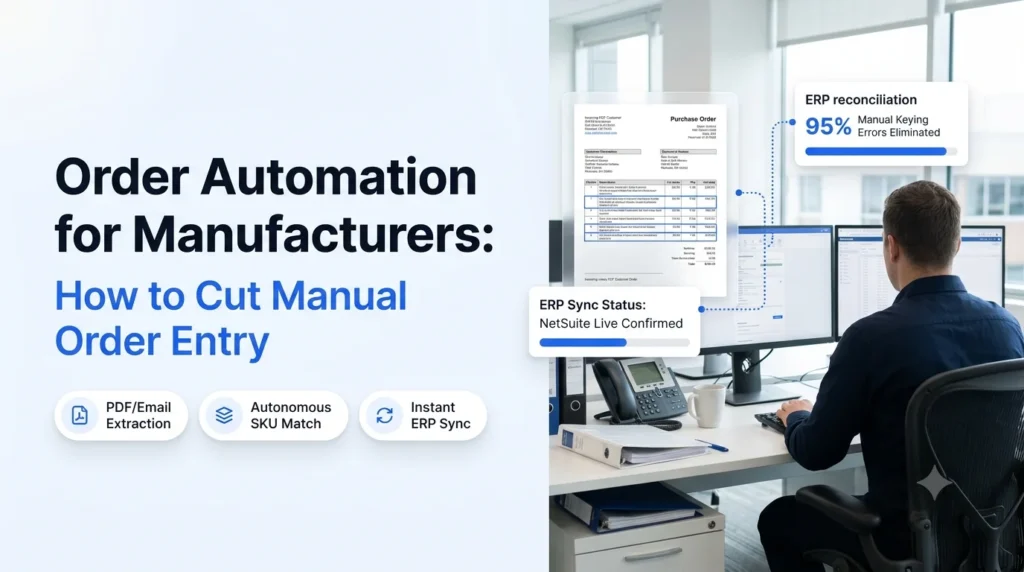
Order automation for manufacturers replaces the manual keying of customer orders into your ERP with software that reads each order, checks it, and enters it for you. Orders still arrive as emails, PDFs, spreadsheets, EDI files and phone calls. The difference is that your team stops retyping them.
Here is the plain-language version. An order automation system captures an incoming order, pulls out the line items, matches them to your product catalog and customer terms, flags anything that looks wrong, and creates the sales order in your ERP. People only handle the exceptions.
Key takeaways
- Order automation for manufacturers targets the slowest step in the order-to-cash cycle: retyping customer orders into the ERP.
- Template and OCR tools break when customers change their formats. AI agents read orders the way a trained order desk rep does.
- Start with your highest-volume, most repetitive order channel, then expand.
- Keep humans in the loop for exceptions, not for routine entry.
- Track touch time per order, error rate and order-to-confirmation time to prove the result.
Manual Order Entry in Manufacturing: The Real Cost
Most manufacturers do not have one order channel. A single customer service team may handle PDF purchase orders from one customer, emailed spreadsheets from another, EDI from a large account and a phone call from a long-time distributor. Every format ends the same way: someone types it into the ERP.
That creates four recurring problems:
- Slow confirmation. Customers wait for an acknowledgement while an order sits in an inbox.
- Keying errors. Wrong part numbers, quantities and ship-to addresses lead to returns, credits and rework.
- Capacity limits. Order volume can only grow as fast as you can hire and train people.
- Wasted skill. Experienced reps spend their day on data entry instead of resolving stock issues and helping customers.
Order automation for manufacturers addresses all four by taking routine entry off the desk. For a closer look at the error side, see how teams reduce manual order entry errors in wholesale, which faces the same issues manufacturers do.
Order Automation for Manufacturers: How the Process Works
In short: an automated order flow has three stages (capture, validate, enter), with a human review step only where the data does not match.
- Capture reads the order from any channel.
- Validate checks it against your master data.
- Enter writes the sales order into your ERP.
- Exceptions go to a person with the issue already highlighted.
Order Capture From Email, PDF and EDI
The system monitors the channels your customers already use and extracts customer, PO number, line items, quantities, requested dates and ship-to details. It does not require customers to change how they send orders. If PDFs are your biggest source, automated PDF order capture into your ERP shows what this looks like in practice.
Order Validation Against Your Master Data
Extracted data is only useful if it is right. The system matches customer part numbers to your SKUs, checks pricing against agreed terms, confirms units of measure and catches duplicates. This is where automated order validation prevents bad orders from reaching production.
ERP Order Entry and Confirmation
Validated orders are created in the ERP without retyping, and the customer receives a confirmation. For background on how this connects to your system of record, read about ERP order processing.
Order Automation for Manufacturers vs. OCR and Template Tools
Many manufacturers tried OCR or template-based capture years ago and gave up. The usual reason is that templates fail the moment a customer changes a layout. AI agents handle variation far better, because they interpret the document instead of matching fixed zones. The full comparison is in AI order processing vs. OCR, and a look at alternatives to intelligent document processing for order entry covers the wider tool category.
| Capability | Manual entry | OCR / template tools | AI agent order automation |
|---|---|---|---|
| Handles new or changed customer formats | Yes, slowly | No, templates break | Yes |
| Reads email bodies and attachments together | Yes | Limited | Yes |
| Validates against catalog and pricing | By memory | Rarely | Yes, automatically |
| Setup effort per customer | None | High | Low |
| Scales without added headcount | No | Partly | Yes |
| Exception handling | Ad hoc | Manual re-keying | Flagged for review |
What to Automate First With Order Automation for Manufacturers
You do not need to automate every channel at once. Pick the starting point with this short filter:
- Highest volume. Which channel produces the most orders per week?
- Most repetitive. Which customers send the same layout every time?
- Costliest errors. Where do wrong orders cause the most rework?
- Clearest ERP mapping. Which orders map cleanly to your existing fields?
Most teams start with emailed PDF purchase orders, then add spreadsheets, then phone and chat. If you want a broader view of the options, our guides on sales order automation and order management automation cover adjacent workflows.
How Ordana Helps With Order Automation for Manufacturers
Ordana gives manufacturers AI agents that act like an extra order desk team member. They read incoming orders, check them against your data and enter them into your ERP, then pass only the exceptions to your staff.
- Agent Desk handles orders arriving by email and attachment: extraction, validation and ERP entry. See how it fits with your system in AI agent order desk integration.
- Agent Voice and Agent Chat extend automation to customers who order by phone or chat.
- Agent Predict supports planning by working from the order data your agents already capture.
What this means for your team:
- Reps stop retyping and spend time on customer problems.
- Customers get faster confirmations.
- Errors are caught before they reach the shop floor.
- Order volume grows without matching headcount growth.
You can explore the full platform at Ordana.
Rolling Out Order Automation for Manufacturers in 5 Steps
- Map your current channels. List every way orders arrive and the weekly volume of each.
- Baseline your metrics. Record touch time per order, error rate and time to confirmation.
- Pick one channel to pilot. Choose by the filter above.
- Connect your ERP and master data. Clean SKU, pricing and customer data make validation accurate.
- Review exceptions weekly. Use the exception queue to tune rules, then add the next channel.
If your current setup is largely manual, manual sales order processing systems explains what you are moving away from.
Measuring Results From Order Automation for Manufacturers
Track the same three numbers you baselined:
- Touch time per order: minutes of human effort from receipt to ERP entry.
- Error rate: orders needing correction after entry.
- Order-to-confirmation time: how long the customer waits.
Add the share of orders processed with no human touch. That figure shows how much routine work has moved off your desk. [Replace this note with a verified customer benchmark before publishing.]
Frequently Asked Questions
What is order automation for manufacturers?
It is the use of software, increasingly AI agents, to capture customer orders from email, PDF, spreadsheet, EDI and other channels, validate them and enter them into the ERP without manual keying.
Does order automation replace my ERP?
No. It sits in front of your ERP and feeds it clean, validated orders. Your ERP stays the system of record.
Can it handle orders in different customer formats?
Yes. AI agents read orders by meaning rather than by fixed template, so a layout change does not break the flow the way it does with OCR tools.
What happens when an order has a problem?
The order goes to a person with the issue flagged, such as an unknown part number or a price mismatch, so they fix one field instead of retyping the order.
Where should a manufacturer start?
Start with the channel that has the highest volume and the most repeatable format, usually emailed PDF purchase orders.
Next Steps
Manual entry holds back both speed and growth. Order automation for manufacturers lets your team confirm orders faster, cut keying errors and handle more volume with the people you have. Book a demo of Ordana to see your own orders processed end to end.
← Back to all blogs