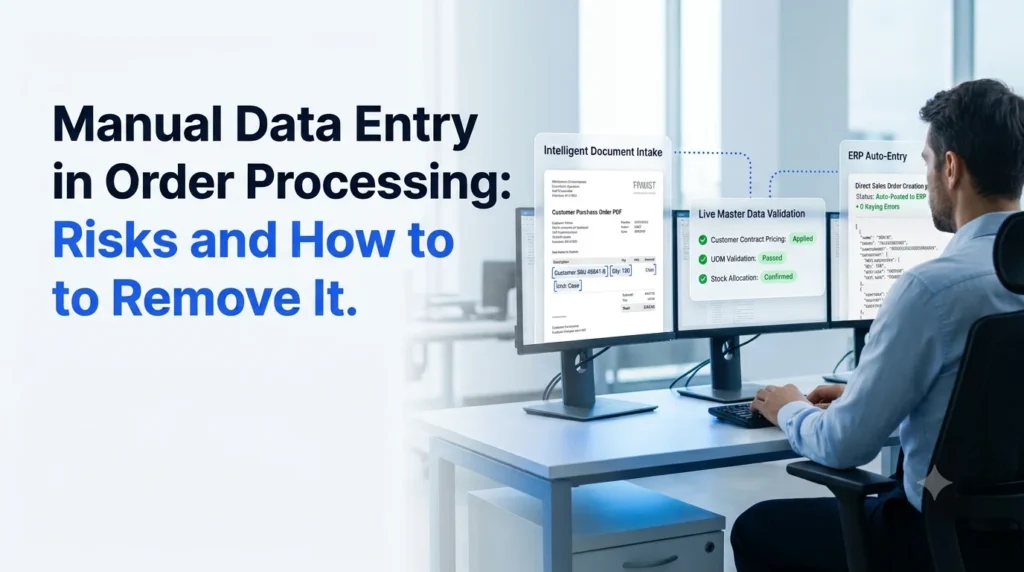
Manual data entry in order processing is the practice of a person reading a purchase order from an email, PDF, spreadsheet or phone call and typing its lines into an ERP by hand. For wholesale distributors, that single habit sits behind late shipments, wrong invoices, overtime in the order desk and customers who quietly move to a faster supplier.
This guide covers the risks of manual data entry, what it really costs, and a practical path to remove it without replacing your ERP.
Key Takeaways
- Manual data entry is the root cause of most order errors, slow confirmations and rework in wholesale order desks.
- The cost is rarely visible on one line of the budget. It shows up as credits, returns, expedited freight and lost repeat orders.
- Template-based OCR only partly fixes the problem. AI agents that read, validate and post orders handle messy, varied formats.
- You can remove manual data entry in stages: capture, validate, post to ERP, then exceptions.
- Ordana’s Agent Desk takes orders from any channel and writes clean, validated records into your ERP.
What Is Manual Data Entry in Order Processing?
Manual data entry in order processing is any step where a team member re-types order information from one system or document into another.
- Reading a customer PDF and keying SKUs, quantities and ship-to details into the ERP
- Copying lines from an emailed spreadsheet into a sales order screen
- Transcribing phone or chat orders into the order management system
- Looking up customer pricing and product codes in a separate file before keying
Each of these steps adds time and a chance for a mistake. If you want a broader view of how this fits into the full workflow, see our guide to the manual sales order processing system.
Manual Data Entry Risks for Wholesale Distributors
The risks of manual data entry fall into six groups. Most distributors feel several at once.
Keying Errors and Wrong Orders
A transposed digit in a SKU, a missed unit of measure or a wrong ship-to address turns into a wrong shipment. Errors multiply when order lines run into the dozens. For a closer look at the numbers and fixes, read how to reduce manual order entry errors in wholesale.
Slow Order Cycle Times
Orders wait in an inbox until someone has time to key them. Confirmation to the customer slips from minutes to hours, and cut-off times for same-day dispatch get missed.
Rising Labor Cost and Hiring Pressure
Order desk staff spend their day typing instead of resolving stock issues, upselling or calling customers. Growth means hiring more typists, which does not scale.
Customer Friction and Churn
Buyers notice wrong items, wrong prices and slow acknowledgments. Repeat customers expect fast, accurate confirmation, and a competitor with automated intake can deliver it.
Poor Visibility and Data Quality
Orders sitting in inboxes are invisible to sales, finance and the warehouse. Free-typed fields also create inconsistent customer and product data that hurts reporting later. These themes appear again in the common order management challenges in wholesale.
Team Burnout and Key-Person Risk
Repetitive keying is tiring work. Knowledge of each customer’s quirks often lives in one or two people’s heads, so absence or turnover disrupts the whole desk.
Manual Data Entry Costs: Where the Spend Hides
The direct cost is labor hours. The larger cost is indirect.
- Rework: correcting an order after entry takes more time than entering it right the first time.
- Credits and returns: wrong shipments create return freight, restocking and credit notes.
- Expedited shipping: fixing a late or wrong order often means paying for faster freight.
- Lost revenue: slow quotes and confirmations push buyers to other suppliers.
- Opportunity cost: skilled staff are tied to typing rather than to customer work.
To size this for your own business, count orders per day, minutes per order, error rate and cost per error. Use your own figures rather than industry averages, since distributors vary widely.
Why Manual Data Entry Persists in Order Processing
If the cost is this clear, why does manual data entry remain common? Three reasons stand out.
- Customers send orders in many formats. Email bodies, PDFs, scanned images, spreadsheets, portals and phone calls all arrive at the same desk.
- ERP systems expect structured input. The ERP is strong at storing orders but weak at reading them.
- Earlier automation was brittle. Template-based OCR breaks when a customer changes their layout. Our comparison of AI order processing vs OCR explains why, and why many teams look at an intelligent document processing alternative for order entry.
Manual Data Entry vs Automated Order Entry
| Factor | Manual data entry | Template OCR | AI agent order entry |
|---|---|---|---|
| Handles varied formats | Yes, slowly | Poor | Yes |
| Speed per order | Minutes | Seconds, after setup | Seconds |
| Error rate | Higher, rises with volume | Moderate | Low, with validation |
| Validates against ERP data | By memory | Rarely | Yes |
| Maintenance effort | None, but constant labor | High template upkeep | Low |
| Scales with order volume | Needs more staff | Partly | Yes |
How to Remove Manual Data Entry from Order Processing
You do not need a big-bang replacement. Work in four stages.
Step 1: Map Where Manual Data Entry Happens
List every order channel and note who keys what, how long it takes and where errors appear. This gives you a baseline and shows where to start. The overview of sales order automation is a useful reference for the full flow.
Step 2: Automate Capture From Every Channel
Pull orders automatically from email inboxes, PDFs and spreadsheets instead of copying them by hand. See how this works in practice in our guide to automated PDF order capture into your ERP.
Step 3: Validate Before Anything Reaches the ERP
Check each line against customer-specific SKUs, pricing, units of measure and stock rules. Catching a mismatch before posting is cheaper than fixing it after shipment. Learn more in automated order validation for wholesale.
Step 4: Post to the ERP and Route Exceptions to People
Clean orders post straight into the ERP. Only unclear or high-risk orders go to a person for review. Your team shifts from typing to supervising. For the technical side, read about ERP order processing and the broader topic of data entry automation.
How Ordana Helps Remove Manual Data Entry
Ordana gives wholesale distributors AI agents that take over the typing while your team keeps control of exceptions.
- Agent Desk: reads orders arriving by email, PDF and spreadsheet, extracts the lines, validates them against your master data and posts them to your ERP. This is the direct replacement for manual data entry at the order desk.
- Agent Voice: handles phone orders and enquiries so they no longer need to be transcribed by hand.
- Agent Chat: captures orders and answers customer questions over chat.
- Agent Predict: uses order history to anticipate what customers are likely to reorder.
Ordana works alongside the ERP you already run. See how the pieces fit in our post on AI agent order desk integration, and how an assistant supports your team in AI order entry assistants for B2B.
You can explore the full platform at Ordana.
Manual Data Entry Removal Checklist
- Order channels listed and volumes measured
- Current error rate and cost per error calculated
- Customer-specific pricing and SKU mappings cleaned up
- Capture automated for email and PDF orders
- Validation rules defined for price, unit and stock
- ERP posting tested with a pilot group of customers
- Exception queue and owner assigned
- Results reviewed against the baseline after 30 days
Frequently Asked Questions (FAQ’s)
What is manual data entry in order processing?
It is the process of a person typing order details from emails, PDFs or calls into an ERP or order system by hand.
What are the main risks of manual data entry?
The main risks are keying errors, slow order confirmation, higher labor cost, customer dissatisfaction, poor data quality and dependence on a few experienced staff.
How do you reduce manual data entry errors?
Automate capture, validate each line against your master data before posting, and route only exceptions to a person. Our guide to reducing manual order entry errors in wholesale goes deeper.
Can you remove manual data entry without replacing your ERP?
Yes. AI agents sit in front of the ERP, read incoming orders and post clean records through integration, so the ERP stays in place.
Is OCR enough to eliminate manual data entry?
Usually not. Template OCR struggles with changing layouts and does not validate against business rules. AI agents handle both.
How long does it take to automate order entry?
Many distributors start with a pilot on one channel or a few customers, then expand. The timeline depends on your ERP, data quality and order mix.
← Back to all blogs