Key takeaways
- OCR reads characters. Order processing needs the right customer, item, quantity, unit and price in your ERP, and that gap is where most OCR problems come from.
- A “99% accurate” OCR engine can still produce a 10-line order with at least one wrong field about 3 times in 10, because errors compound across every field.
- Template-based OCR breaks when a customer changes their PO layout, and it often breaks silently.
- Handwriting, faxes and free-text emails are where OCR is weakest, and they are everyday inputs on wholesale order desks.
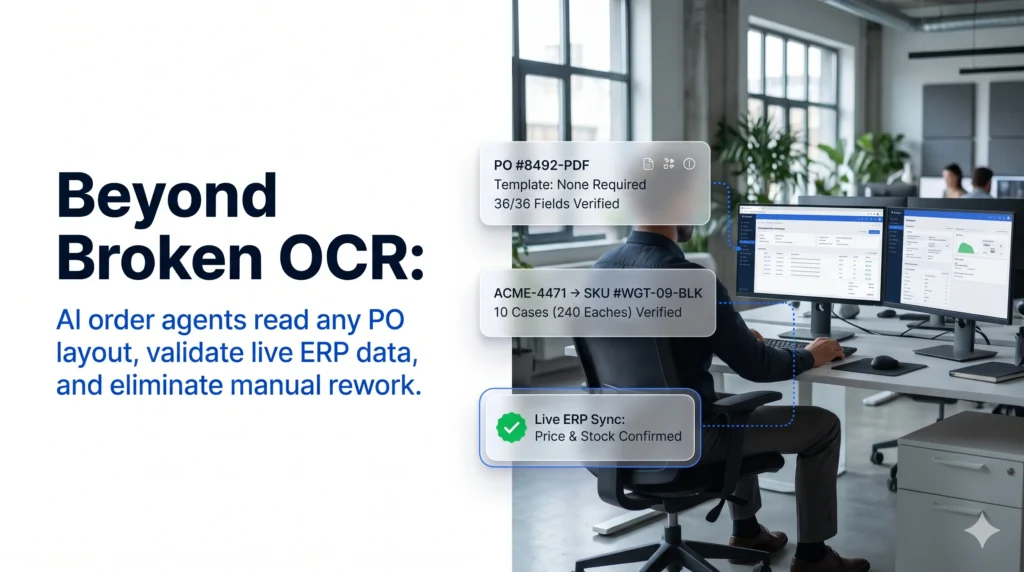
- AI agents fix the reading step and the work after it: mapping part numbers, validating against live ERP data, resolving exceptions with the customer and writing the sales order.
OCR problems are the reason many distributors who “automated” order entry years ago still have reps retyping, checking and fixing orders every day. Optical character recognition (OCR) was built to turn an image of text into machine-readable text. Order processing asks for much more: the right customer, the right SKU, the right quantity and unit, the right price, and a clean sales order in the ERP.
The gap shows up in the numbers. Conexiom data cited by Workd shows that 70% of B2B sales orders were still processed manually in 2025.
This guide covers the eight OCR failures that cause the most rework on wholesale order desks, why each one happens, and how AI agents solve them. It is written for order desk, customer service and IT leaders at distributors who already use OCR or are weighing it.
OCR Problems Explained: Why “Automated” Orders Still Need a Rep
In one line: OCR converts images to text, but an order is only done when it is correct in your ERP.
- What OCR does and does not do in an order workflow
- Why vendor accuracy claims overstate real-world results
- How small field errors add up across a full order
In plain terms, OCR problems in order processing are the failures that happen when text-recognition software reads a customer’s purchase order but cannot turn it into a correct, complete sales order without a person stepping in. Some are reading failures, such as a misread digit. Most come from work OCR was never designed to do: mapping items, checking prices and resolving exceptions.
OCR was the first wave of automated order processing for most distributors, and it still sits in many order workflows today.
How OCR Order Capture Works Today
A typical OCR order flow looks like this:
- An email arrives with a PDF or a scanned fax attached.
- The OCR engine converts the image into text.
- A template built for that customer’s layout tells the system which zone holds the PO number, the ship-to and the line-item table.
- Extracted fields go to a review screen or an import file.
- A rep checks the output, fixes errors, looks up items and prices, and releases the order to the ERP.
Steps 3 and 5 are where the work hides. As LlamaIndex notes, zonal (template) OCR depends on fixed templates, so it needs upfront setup and ongoing template maintenance as document formats change.
OCR Accuracy Claims vs. Order Accuracy
Vendors usually quote character accuracy, and on clean inputs it is high: AIMultiple’s benchmark notes that OCR passes 99% accuracy on typed text in high-quality images. Your order desk cares about two different numbers: field accuracy (was the whole quantity correct?) and order accuracy (was every field on the order correct?).
Errors compound across fields. Take an order with 6 header fields (customer, ship-to, PO number, order date, requested date, terms) and 10 lines with 3 fields each (item, quantity, unit). That is 36 fields. Assuming errors are independent:
| Field-level accuracy | Orders with every field correct | Orders needing a fix |
|---|---|---|
| 99% | 69.6% | 30.4% |
| 97% | 33.4% | 66.6% |
| 95% | 15.8% | 84.2% |
DigiParser’s 2026 benchmark puts mixed document workflows (invoices, purchase orders and utility bills of varying scan quality) at 91% to 96% field-level accuracy before human review. In that range, most multi-line orders need a person to touch them.
A 99% accurate OCR engine does not give you a 99% hands-off order desk. On a 10-line order, it is closer to 70%.
For the full head-to-head on approach, cost and scalability, see our comparison of AI order processing vs. OCR.
OCR Problems When Reading Orders: 4 Common Failures
In one line: these failures stop the system from getting the right text off the page in the first place.
- Template breaks on layout changes
- Multi-page and variable line-item tables
- Handwriting, fax and scan quality
- Free-text email orders
OCR Template Breaks When a Customer Changes Their PO
Template OCR reads positions, not meaning. The PO number sits in a box at fixed coordinates, and the line-item table starts at a fixed row. When a customer upgrades their ERP, adds a logo or adds a discount column, the coordinates move and the template pulls the wrong text or nothing at all.
Two things make this worse for distributors:
- Every new customer is a new template project. Someone draws zones, tests samples and ships the template before a single order flows.
- Failures are often silent. A template that reads a ship-to into the bill-to field produces clean-looking output. You find out when the shipment goes to the wrong address.
OCR Errors on Multi-Page and Variable Line-Item Tables
Line items are the hardest part of a PO to read. Lido points out that a 5-line PO paginates differently from a 50-line PO, so the total can sit on page 1 for one order and page 3 for the next. OCR problems in tables include:
- rows split across a page break and read as two items
- wrapped descriptions merged into the next line
- quantity and unit read as one string (“12CS” or “12 cs/24”)
- shifted columns that put a price in the quantity field
For PDF-heavy order desks, our guide to automated PDF order capture into your ERP covers how to handle these layouts without templates.
OCR Misreads on Handwriting, Faxes and Scans
Handwritten notes and faxes are still part of everyday order intake. In a 2024 survey by AI inside of staff who handle order receipt at manufacturers, 73.3% of those who receive paper documents said they receive some of them by fax.
Accuracy falls fast on these inputs. In AIMultiple’s manuscript handwriting benchmark, LLM and OCR tools averaged 64% accuracy on hard-to-read handwritten samples. On an order, the typical failures are:
- a handwritten “7” read as “1”, or a “4” read as “9”, in a quantity
- a scribbled note such as “sub OK if out” or “ship Tues” ignored entirely
- fax compression that breaks characters apart, so part numbers come out with missing digits
OCR Gaps on Free-Text Email Orders
Many orders never arrive as a document at all. A 2016 Modern Distribution Management study found 74% of customers prefer to email their purchase orders, and many of those emails are plain text: “Same as last week but double the 2L bottles, and add 3 cases of the blue lids.” There is no layout for a template to anchor to, and “the blue lids” means nothing without the customer’s order history.
OCR Errors After Extraction: Where Orders Still Go Wrong
In one line: even perfect text extraction leaves the hardest order processing work undone.
- Customer part numbers vs. your SKUs
- Unit-of-measure conversions
- Price, stock and credit checks
- Exceptions that sit in a queue
APQC research on touchless orders shows why reading accuracy alone does not fix the desk. Among the causes of manual intervention on sales orders, invoicing issues accounted for 25%, pricing issues 20%, contract issues 18% and incorrect customer master data 15%. None of those are reading problems.
OCR Output With Customer Part Numbers, Not Your SKUs
Customers order with their own item numbers, old catalog numbers or plain descriptions. OCR can read “ACME-4471 widget blk” perfectly and still leave a rep to work out which of your SKUs it means. Without a cross-reference step, every line with a customer part number becomes manual work.
OCR Errors in Units of Measure
“10” means very different things when the customer means cases, you sell eaches and the pack size is 24. OCR has no knowledge of your unit-of-measure rules, so it passes the number through as written. These errors are expensive because the order looks complete and only shows up wrong at picking or invoicing. Our guide on how to reduce manual order entry errors in wholesale covers the most common error types and their fixes.
OCR Without Validation: Price, Stock and Credit
OCR does not check whether the PO price matches the customer’s contract, whether stock is available at the right branch, or whether the account is on credit hold. Those checks fall back to the rep. Automated order validation is the step that catches these issues before an order ships, and OCR does not include it.
OCR Exceptions That Land in a Queue
When OCR flags low confidence or a field it cannot read, the order goes to an exception queue. Someone then reads the original, calls or emails the customer, waits for a reply and re-keys the fix. The queue grows with volume and peaks in the busy season, which is exactly when the desk has the least time to clear it. This is how OCR projects end up with the manual data entry they were bought to remove.
Want to see how your own POs perform without templates? Book a demo with Ordana and bring a week of real orders, including the messy ones.
OCR Problems vs. AI Agents: Problem-by-Problem Comparison
In one line: AI agents address each failure point, not only the reading step.
- What happens today with OCR
- What changes with an AI order agent
| OCR problem | What happens with OCR | What an AI order agent does |
|---|---|---|
| Customer changes PO layout | Template breaks; fields fill wrong or empty until it is rebuilt | Reads fields by meaning and context, so a new layout needs no template |
| New customer onboarding | New template project before the first order flows | Reads the first order from a new customer the same way as the hundredth |
| Multi-page line-item tables | Rows split, merged or shifted across pages | Reads the table as a whole and checks line count against totals |
| Handwriting and fax | Misread digits and ignored notes | Checks whether a quantity or item makes sense against order history and catalog, and flags what it cannot confirm |
| Free-text email orders | Nothing to extract against | Interprets requests such as “the usual” or “double the 2L” using customer history |
| Customer part numbers | Rep looks up each item | Maps customer item numbers and descriptions to your SKUs |
| Units of measure | Number passed through as written | Applies pack and UOM rules for each SKU |
| Price, stock, credit | No checks | Validates each line against live ERP pricing, inventory and account status |
| Exceptions | Sent to a queue for a rep | Proposes a fix (substitute, partial ship, backorder) and gets customer sign-off |
If you have looked at intelligent document processing (IDP) as a middle ground, our breakdown of an alternative to intelligent document processing for order entry explains where IDP still leaves exceptions with your team.
OCR Limitations Solved: How AI Agents Process Orders
In one line: an AI agent owns the whole order, from inbox to ERP, instead of handing text to a person.
- Reads orders for meaning
- Validates against live data
- Resolves exceptions with the customer
- Covers channels OCR cannot read
Beyond OCR: Reading Orders for Meaning, Not Coordinates
AI order agents use language models to read an order the way an experienced rep does. They find the PO number because it is labeled as one, not because it sits at a set position on the page. That removes the template library and the work of keeping it current.
Beyond OCR: Validating Every Line Against Your ERP
After reading, the agent checks each line against your catalog, contract pricing, inventory and customer master. Problems are caught before the order is created, not after a credit note. Our guide to ERP order processing covers how the validated order is written back to your system.
Beyond OCR: Resolving Exceptions With the Customer
When an item is out of stock or a price does not match, the agent contacts the customer through the channel they used, proposes a fix and records the approval. Edge cases that need judgment, such as credit decisions, go to your team with the context attached. For more on how this fits your current team and systems, see how an AI agent integrates with your order desk.
Beyond OCR: Covering Phone, Text and Portal Orders
OCR only works on documents. AI agents can also take orders by phone, SMS and chat, so one workflow covers every channel. This is the basis of multi-channel order capture, and it is what lets a distributor raise the share of orders that close without a rep.
OCR Problems Audit: 6 Signs Your Order Desk Is Paying for Them
In one line: if any of these are true, your OCR tool reads documents but your team still processes orders.
- Six signs to check
- What to measure for one week
- Reps review every OCR result before release. If nothing goes to the ERP unchecked, you have added a step, not removed one.
- A template backlog exists. New customers wait for a template, or someone spends hours each week fixing broken ones.
- Fax, handwritten and email-body orders bypass the tool. Those orders are still keyed by hand.
- Reps keep a cross-reference spreadsheet. Customer part numbers are looked up manually.
- Credit notes trace back to entry errors. A wrong unit, item or price slipped through.
- The exception queue grows in peak season. Volume rises and the desk falls behind.
To size the problem, track one week of orders. Count how many went through OCR with zero edits, log the reason behind every edit, and time each fix. That gives you a labor baseline, and our analysis of B2B order desk labor cost reduction shows how to turn it into a business case.
OCR Problems Solved by Ordana: AI Agents for the Wholesale Order Desk
In one line: Ordana replaces the OCR-plus-rep workflow with AI agents that take each order from arrival to ERP close.
- Which Ordana agent handles which OCR problem
- What distributors should check before buying
Ordana builds AI agents for wholesale order desks. Instead of extracting text and passing it to a person, the agents own each order through capture, validation, exception handling and ERP write-back.
| OCR problem | Ordana agent | How it handles it |
|---|---|---|
| Layout changes, new customers, PDFs and faxes | Desk Agent | Reads email, PDF, fax and SMS orders in any layout, so there is no template library to maintain |
| Free-text and messy orders | Desk Agent | Reads structured or freeform orders from any inbox format |
| Missing validation | Desk Agent | Checks every line against live catalog, pricing and inventory, and flags substitutions, short stock and price mismatches before the order moves forward |
| Exception queues | Desk Agent with Voice Agent | Contacts the retailer on their preferred channel, proposes a resolution and gets sign-off; brings in Voice Agent when a call is faster |
| Phone orders OCR cannot read | Voice Agent | Handles inbound phone orders and makes outbound calls when an exception needs a voice |
| Text and chat orders | Chat Agent | Takes orders over SMS and the web portal |
| Items the customer left off | Predict Agent | Pre-builds each retailer’s cart from order history to lift average order value |
Points that matter when you evaluate it:
- No change for customers. Ordana says retailers need zero behavior change, so they keep ordering by email, PDF, fax, phone or text.
- ERP connectors. Ordana lists pre-built connectors for NetSuite, JD Edwards, SAP, Sage, Microsoft Dynamics, BigCommerce and Shopify, and states they go live in days, not months. Confirmed orders are written to the ERP with a full audit trail.
- Ordana’s published figures. Ordana reports up to 80% reduction in order processing labor, a 95% decrease in order entry errors and 4x more orders per agent without added headcount, with the first automated order typically within 24 hours of go-live. Ask for results from distributors with a channel mix close to yours.
The end state is what Ordana calls zero-rep order entry: routine orders close on their own, and your team handles accounts, edge cases and growth.
Ready to see your hardest orders processed without templates?
Book a demo with Ordana and we will run a sample of your real POs, faxes and email orders through Desk Agent.
Frequently Asked Questions (FAQ’s)
What are the most common OCR problems in order processing?
Template breaks when customers change PO layouts, errors on multi-page line-item tables, misreads on handwriting and faxes, and no support for free-text emails. After extraction, OCR also leaves part-number mapping, unit-of-measure conversion, validation and exception handling to people.
Why is OCR accuracy lower on real orders than vendors claim?
Vendors usually quote character accuracy on clean, typed documents. Orders need every field correct, and errors compound: at 99% field accuracy, a 36-field order has every field right only about 70% of the time.
Can better templates fix OCR errors?
They help on stable layouts, but each template needs upkeep whenever a customer changes their PO, and every new customer needs a new one. Templates also do nothing for validation, pricing or exceptions.
Is AI order processing just better OCR?
No. AI agents read orders by meaning rather than position, but the bigger change is what happens next: mapping items, validating against your ERP, resolving exceptions with the customer and creating the sales order.
Do AI agents still use OCR?
Often, yes, as one step to get text off a scanned image or fax. The difference is that the agent interprets and checks the result instead of passing raw text to a rep.
Do customers need to change how they send orders?
No. AI order agents work with the formats customers already use, including email, PDF, fax, phone and text.
How do I know if OCR is costing my team time?
Track one week of orders. Count how many passed through OCR with no edits, tag the reason behind every edit, and time each fix. A low no-edit rate or a growing exception queue means the tool reads documents but your team still processes orders.
OCR Problems: Your Next Step
Pull one week of OCR-processed orders and count how many reached the ERP with zero human edits. Then sort the edits by cause: layout, handwriting, part numbers, units, pricing or exceptions. That list shows which OCR problems cost you the most and where an AI agent will pay back first. When you are ready to test it on your own orders, talk to Ordana about Desk Agent.
← Back to all blogs