Key takeaways
- An order processing bottleneck is the slowest step between a customer sending an order and your ERP holding a confirmed sales order. It sets the pace for the whole desk.
- In a 2023 survey of 51 wholesale distribution executives, 53% named manual handling and interventions as a top order management challenge.
- Manual order desks scale in a straight line: more orders need more reps. Complexity (customers, SKUs, contract prices) grows faster than that.
- Most stuck orders are not reading problems. APQC found invoicing, pricing, contract and customer master data issues behind most manual interventions.
- Measure capacity before you buy anything: minutes per order, touches per order and peak-day volume tell you where the queue forms.
An order processing bottleneck is the point where orders arrive faster than your team can read, check and key them into the ERP, so the queue grows every time sales do. For many distributors, that point is already here. In a Gatepoint Research survey of 51 wholesale distribution executives run for Blue Yonder, 53% named manual handling and interventions as a top order management challenge.
The usual response is to hire another rep. That works for a quarter. Then volume grows again, a senior rep takes leave, and Monday’s inbox spills into Tuesday.
This guide explains what an order processing bottleneck looks like, why it gets worse as you grow, what it costs, where orders actually get stuck, and how to measure and remove it. It is written for operations, customer service and IT leaders at wholesale distributors.
What Is an Order Processing Bottleneck?
In one line: it is the slowest step in your order flow, and every order has to wait for it.
In plain terms, an order processing bottleneck is the step between “customer sends order” and “ERP holds a confirmed sales order” that has the least capacity. Because every order passes through that step, it decides how many orders your desk can close in a day, no matter how fast the other steps run.
In most distributors, that step is a person. A rep opens the email, reads the PDF, maps the customer’s part numbers to your SKUs, checks the contract price, confirms stock, keys each line and sends a confirmation. If your desk still runs a manual sales order processing system, the rep’s minutes per order are your ceiling.
Conexiom data cited by Workd shows seventy percent of B2B sales orders were still processed manually in 2025, so this ceiling is the norm rather than the exception.
Order Processing Bottlenecks: 7 Warning Signs
In one line: the queue shows up first in timing, then in errors, then in customer calls.
Watch for these signs on your desk:
- Order-to-confirmation time stretches on Mondays, after public holidays and at month-end.
- Late-day orders wait overnight. An order emailed at 4:45 pm is entered the next morning.
- Overtime clears the backlog, then it returns within a week or two.
- Sales reps key orders instead of visiting accounts or quoting new business.
- One or two people hold the knowledge. Customer part numbers, pricing quirks and ship-to rules live in their heads, and the desk slows when they are out.
- Customers chase you. “Did you get my PO?” emails and calls add more work to the same queue.
- Credits, returns and reshipments rise as volume rises, because tired people make more keying mistakes.
If three or more of these sound familiar, you have an order processing bottleneck, and adding orders will make it worse.
Order Desk Bottleneck: Why Hiring Does Not Scale
In one line: manual capacity grows in a straight line with headcount, while order complexity grows faster.
The Headcount Math
Published estimates for manual entry time vary with line count and lookups. Suppliers interviewed by Hobson & Company for TradeCentric described the end-to-end manual purchase order process as taking roughly 8 to 12 minutes per order. Workd puts a typical mid-market order at about six minutes, and WizCommerce cites an industry baseline of 20 minutes per order.
Take 10 minutes per order and six productive entry hours per rep per day. One rep closes about 36 orders a day. Here is what growth looks like (illustrative arithmetic):
| Orders per day | Entry hours per day | Reps needed |
|---|---|---|
| 200 | 33 | 5.6 |
| 300 | 50 | 8.3 |
| 450 | 75 | 12.5 |
| 600 | 100 | 16.7 |
Every 36 extra orders a day means another full-time hire, plus recruiting, training and a desk to sit at. Revenue may grow with order count. Gross margin per order does not.
Volume Does Not Arrive Evenly
Orders cluster. Monday mornings, the day after a holiday, month-end and promotion weeks all bring spikes. Staff for the average day and the peaks queue up. Staff for the peak and people sit idle the rest of the week. Neither choice removes the bottleneck. It just moves the cost.
Exceptions Grow Faster Than Orders
Each new customer brings its own part numbers, PO layout, contract prices and delivery rules. Each new SKU adds cross-references and unit-of-measure conversions. The share of orders that need a judgment call rises with that complexity, and every exception pulls a rep away from the routine queue.
Adding reps adds capacity in a straight line. Adding customers, SKUs and price lists adds complexity faster than that.
Knowledge Lives in People
New reps take weeks to learn which customer means which item by “the usual.” When an experienced rep leaves, that knowledge leaves too, and error rates climb while the replacement learns.
Order Processing Bottleneck Costs: What a Stuck Desk Costs You
In one line: the bill shows up as labor, errors, slower cash and lost sales.
- Labor. Conexiom reports that customer service and inside sales reps spend 20% to 40% of their time on manual order handling. Workd models a distributor taking 200 orders a day at six minutes each as spending about 20 labor hours daily, or roughly $130,000 a year in fully loaded cost.
- Cost per revenue dollar. APQC found organizations without order processing automation spend $1.64 per $1,000 of revenue on sales order management, against $1.11 for those with automated ordering.
- Errors. Research from B2B commerce platform Zoey, cited by Workd, puts manual order accuracy at 95% to 98%. At 15,000 orders a year, 97% accuracy still means 450 orders with a mistake. Our guide on how to reduce manual order entry errors in wholesale breaks down where those mistakes start.
- Lost sales. In the Blue Yonder survey, executives linked manual intervention to missed sales opportunities (49%), inefficient employees and processes (47%) and reduced productivity or service levels (43%).
- Selling time. Every hour a sales rep spends keying orders is an hour not spent on accounts, quotes or new customers.
For a fuller model of the labor side, see our analysis of B2B order desk labor cost reduction.
Want to see what your own order queue would look like without the manual steps? Book a demo with Ordana and bring a week of real POs.
Order Processing Bottlenecks by Stage: Where Orders Get Stuck
In one line: reading the order is rarely the slowest step; checking and fixing it usually is.
| Stage | What slows it down | Symptom you see | What removes it |
|---|---|---|---|
| Intake | Orders spread across email, PDF, fax, phone, SMS and portal | Phone and text orders keyed late or lost | One intake for every channel |
| Reading | Customer layouts, handwriting, shorthand, own part numbers | Template breaks when a customer changes its PO | AI that reads any format |
| Validation | Manual checks of SKU, contract price, stock, credit, UOM | Wrong price or unit of measure ships | Checks against live ERP data |
| Exceptions | Out-of-stock, price mismatch, unknown item | Orders parked in a queue waiting for a call-back | Automated fix proposals and customer sign-off |
| ERP entry | Line-by-line keying, screen hopping | Long entry time on large orders | Direct write to the ERP |
| Confirmation | Manual emails after entry | Customers chase order status | Automatic confirmation with any changes listed |
APQC broke down why sales orders need manual intervention. Invoicing issues caused 25% of interventions, pricing issues 20%, contract issues 18% and incorrect customer master data 15%. None of those are reading problems. That is why fixing only the intake or OCR step rarely clears an order processing bottleneck: the queue simply moves to validation and exceptions.
Practical starting points for each stage:
- Intake: plan for multi-channel order capture so phone and text orders do not bypass the system.
- Reading: for PDF-heavy desks, our walkthrough of automated PDF order capture into your ERP covers the details.
- Validation: automated order validation checks every line against catalog, contract price and stock before release.
- ERP entry: our guide to ERP order processing explains the integration patterns.
For the wider set of problems distributors face beyond the order desk, see our overview of order management challenges in wholesale.
Order Processing Bottlenecks: Five Fixes Compared
In one line: five common fixes exist, and only one removes both the keying and the exception queue.
| Criteria | Hire more reps | Customer portal | Templates and OCR | Intelligent document processing (IDP) | AI order agents |
|---|---|---|---|---|---|
| Capacity grows with | Headcount | Portal adoption | Number of templates built | Model training | Order volume, no added headcount |
| Customer change needed | None | Yes, customers must switch | None | None | None |
| New or changed PO layouts | Rep handles | Not applicable | Breaks until rebuilt | Usually handled | Handled |
| Validation against live data | Manual | Built into portal | Limited | Partial | Built in |
| Exception handling | Rep calls customer | Rep calls customer | Sent to a queue | Sent to a queue | Agent proposes fix, gets sign-off |
| Channels covered | All, slowly | Portal only | Email and PDF | Email, PDF, scans | Email, PDF, fax, EDI, portal, phone, SMS |
| Where people still touch orders | Every order | Off-portal orders and exceptions | Every exception and new layout | Every exception | Edge cases only |
Two points from this table matter most.
First, portals help, but they depend on customers changing how they buy. A 2016 Modern Distribution Management study found 74% of customers prefer to email their purchase orders, so a portal alone leaves much of the queue in place.
Second, OCR and IDP speed up reading but leave validation and exceptions with your team. Before you choose a tool, read our comparison of AI order processing vs OCR and our breakdown of an alternative to intelligent document processing for order entry. For the full picture of how end-to-end automated order processing works, start with our pillar guide.
Order Processing Bottleneck Audit: Measure Your Desk in One Week
In one line: four numbers tell you where your queue forms and how close you are to the ceiling.
- Count orders by channel and by day for one full week, including phone and text orders.
- Time a sample of 50 orders from receipt to confirmation, and separately the hands-on minutes a rep spent on each.
- Tag every touch with a reason: unknown item, price mismatch, out of stock, ship-to, credit, other.
- Record productive entry hours per rep per day (exclude meetings, calls about status and breaks).
- Calculate daily capacity using the formula below.
- Compare capacity with your peak day, not your average day.
Daily order desk capacity = (reps × productive entry hours × 60) ÷ average hands-on minutes per order
Example: 4 reps × 6 hours × 60 ÷ 10 minutes = 144 orders a day. If you average 130 orders but receive 190 on Mondays, the desk is over capacity one day a week, and that backlog carries into Tuesday.
The touch reasons from step 3 show which stage of the order processing bottleneck to fix first. If most touches are price mismatches, the fix starts with contract data, not a faster reader. To see how an AI agent fits alongside your current team once you have that baseline, read how an AI agent integrates with your order desk.
Order Processing Bottlenecks Solved: How Ordana’s AI Agents Help
In one line: Ordana’s AI agents take each order from intake to ERP close on every channel, so capacity no longer depends on headcount.
Ordana builds AI agents for wholesale order desks. Instead of only reading documents, the agents carry each order through every stage in the table above, so your team stops working the routine queue and only sees cases that need judgment.
| Where the bottleneck forms | Ordana agent | What it does |
|---|---|---|
| Written order intake and reading | Desk Agent | Picks up email, PDF, fax, SMS, EDI and portal orders and reads freeform or structured layouts |
| Phone orders | Voice Agent | Answers inbound order calls with no hold queue, converts spoken orders to structured data and pushes them to the ERP when the call ends |
| Chat and text orders | Chat Agent | Takes and confirms orders over SMS, WhatsApp and chat without a rep |
| Validation | Desk Agent | Checks every line against live catalog, pricing and inventory, and flags substitutions, short stock and price mismatches |
| Exceptions | Desk Agent with Voice Agent | Contacts the retailer on their preferred channel, proposes a fix and gets sign-off; calls when a phone call is faster |
| ERP entry and confirmation | Desk Agent | Writes the order to the ERP, sends the confirmation and logs every action on an auditable dashboard |
| Order value | Predict Agent | Pre-builds each retailer’s likely cart from order history to raise average order value |
What this means for a desk that cannot scale:
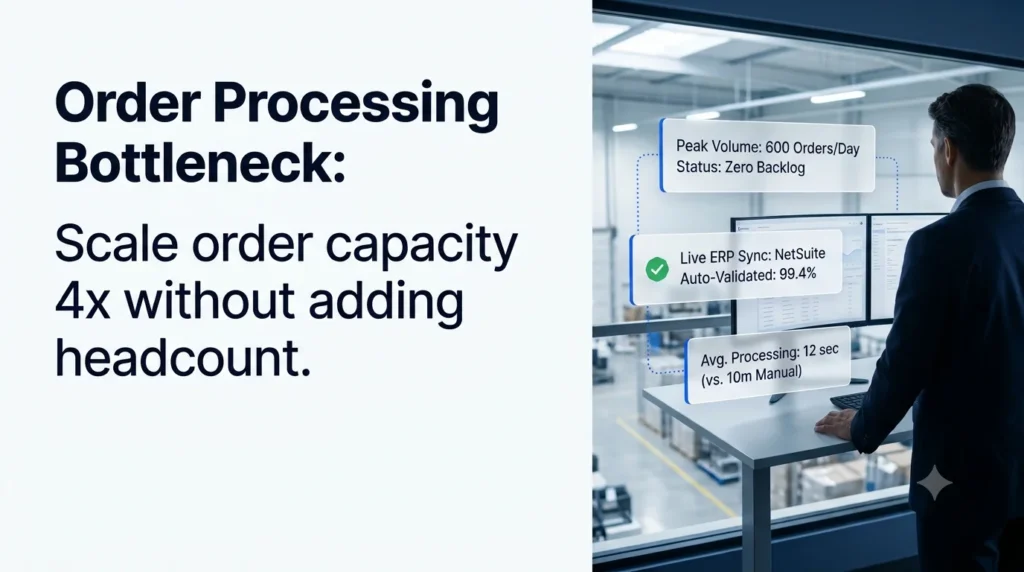
- Capacity without hiring. Ordana reports 4x more orders per agent without added headcount and up to 80% reduction in order processing labor.
- Fewer errors at volume. Ordana reports a 95% decrease in order entry errors, because every line is checked against live data before release.
- Peaks stop queuing. The agents run 24/7, so Monday’s inbox and late-day orders do not wait for the morning shift.
- No change for your customers. Retailers keep ordering by email, PDF, phone or text, so there is no portal adoption campaign before results appear.
- ERP connectors. Ordana lists pre-built connectors for NetSuite, JD Edwards, SAP, Sage, Microsoft Dynamics, BigCommerce and Shopify, and says the first automated order typically goes through within 24 hours of go-live.
- People stay in control. Edge cases escalate to your team with full context, and every action is logged for audit.
The figures above are Ordana-reported. Ask to see results from distributors with a channel mix and order volume close to yours. Taken together, this is what Ordana calls zero-rep order entry: routine orders close on their own, and your team spends its time on accounts, exceptions and growth.
Ready to find out where your order desk hits its ceiling?
Book a demo with Ordana and we will run a sample of your real orders through Desk Agent.
Frequently Asked Questions (FAQ’s)
What causes an order processing bottleneck?
The main causes are manual keying, orders spread across many channels, validation done by hand, and exceptions such as price mismatches or out-of-stock items that wait for a rep. APQC found that invoicing, pricing, contract and customer master data issues drive most manual interventions.
How do I know if my order desk is at capacity?
Divide your reps’ productive entry minutes per day by average hands-on minutes per order. If your peak-day volume is higher than that number, or order-to-confirmation time stretches on Mondays and at month-end, the desk is at capacity.
How long does manual order entry take per order?
Published estimates range from about 6 minutes (Workd) to 8 to 12 minutes (Hobson & Company research for TradeCentric) and up to 20 minutes (WizCommerce industry baseline), depending on line count, lookups and exceptions.
Will a customer portal fix the bottleneck?
Only partly. Portals depend on customers changing how they order, and a Modern Distribution Management study found 74% of customers prefer to email purchase orders. Orders that stay on email, PDF or phone still reach the manual queue.
Is OCR enough to remove the bottleneck?
Usually not. OCR speeds up reading, but validation and exceptions remain manual, and template-based OCR breaks when a customer changes its PO layout. The queue moves rather than disappears.
Does removing the bottleneck mean cutting the customer service team?
No. It removes keying and checking, so the same team can handle more volume and spend its time on new accounts, complex orders and customer relationships.
Order Processing Bottleneck: Your Next Step
Run the one-week audit above. Count orders by channel, time a sample, tag every touch and compare capacity with your peak day. That baseline shows where your order processing bottleneck sits and what to fix first. When you are ready to see your remaining manual work handled by AI agents, talk to Ordana about Desk Agent.
← Back to all blogs